Learn how to structure legal document templates for AI-assisted legal drafting, using a client update letter to show where the lawyer’s advice belongs and who is responsible for each next step. See when a predefined template fits and when to create a custom one in Philips SpeechLive Legal AI Assistant.


Legal professionals often work with familiar document structures, from client update letters and attendance notes to matter summaries and legal correspondence. Yet preparing each new document can still involve repetitive drafting and organizing information from dictations and supporting material. Even the support of AI dictation and AI legal transcription will require significant time and manual effort.
AI legal document drafting can help simplify this process. Assistants can use custom templates to place each piece of relevant information, saving time. By combining speech recognition, structured templates and AI-assisted document drafting, legal professionals can prepare legal document drafts in familiar formats while retaining control over their review and finalization.
This guide has two parts. First, general advice on structuring a legal template for AI document generation, using a client update letter as a worked example. Then, a look at how templates work specifically in Philips SpeechLive Legal AI Assistant, from your audio to a structured draft.
A client update letter needs to tell the reader what has happened, what it means for their matter, and what comes next. A legal document template provides a reusable framework for that draft, so each piece of information has a clear place and the finished document follows a consistent, recognizable structure.
The benefits of consistent, structured legal drafts include:
The matter-specific facts and the lawyer’s advice still need to come from the information supplied.
A template provides the structure, not the content.

The principles in this section apply to any legal template, whichever tool you use to create documents.
Start by asking yourself one question: “This document helps the reader understand…” and complete the sentence.
For a client update letter, that might be:
“This document helps the client understand the current position, the advice we have provided, and the actions required.”
Use that purpose to decide what belongs in the template. An internal matter note may need background detail that a routine client update does not. Trying to cover both in one template can make the structure unnecessarily complicated.
Choose one of your recurring documents with a recognizable purpose as your example. Review a few approved examples and identify the sections they share, separating genuine requirements from individual authors’ preferences.
Write a short prompt describing what belongs under every heading, and, where it helps, what to exclude. If two descriptions overlap substantially, reconsider whether both sections are necessary.
For example, “Matter details,” “Background,” and “Case information” could all invite the same content. More specific headings make the intended distinction clearer.
For a client update letter specifically, the following structure provides a useful starting point:
Splitting next steps into “What you need to do” and “What our firm will do” makes it clear to the client who is responsible for each action.
A heading such as “Advice and recommendations” identifies where the lawyer’s advice belongs. It should not be treated as an instruction for AI to independently develop that advice.
Go through the structure and identify three types of content:
Consider the sentence: “Please return the signed document by [date].” The wording may be reusable, but the deadline and whether a signature is required depend on the matter. Therefore, this would be a matter-specific detail.
Avoid leaving a previous client’s details or example dates inside a reusable template, and keep illustrative examples separate from live source material.

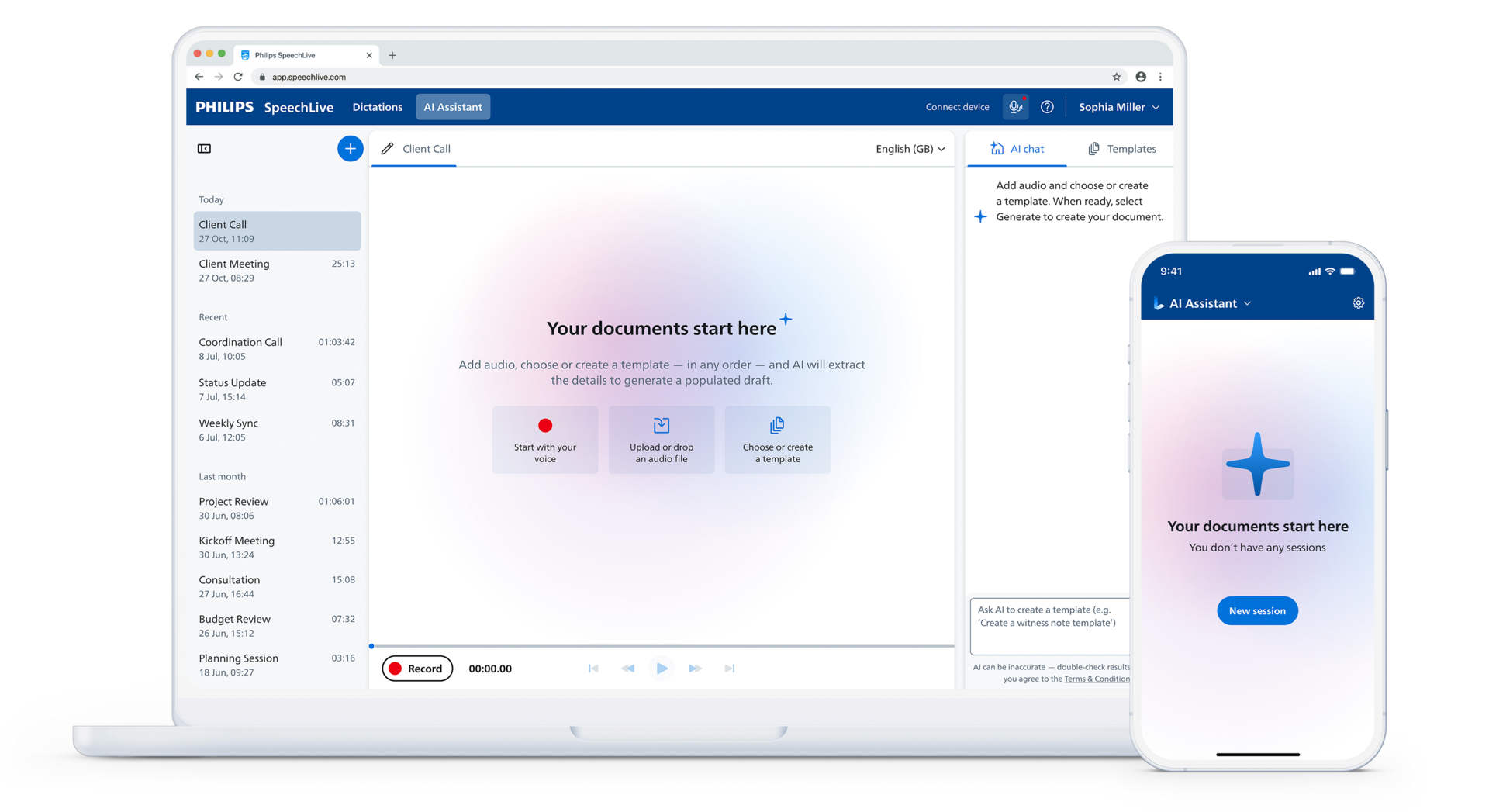
Philips SpeechLive Legal AI Assistant offers predefined and custom templates for AI-assisted document creation. Legal professionals can combine dictation and AI transcription with supporting files to generate a structured draft for review. Speech Recognition Legal, which is included in the Legal AI Assistant, is tuned for the legal industry and recognizes legal terminology.
A predefined legal template provides an already structured document template. A custom template lets you define a structure around your particular requirements. The right choice depends on how closely the available option matches the document you need. Philips SpeechLive Legal AI Assistant includes eight predefined templates:
If one of these templates fits the document you need, you can use it. Alternatively, you can use the AI chat to prompt adjustments to these predefined options to tailor a template exactly to your needs without starting from scratch.
You can also create a custom template for a document type outside this list or for a familiar document that is organized in a particular way. For example, if your client update letters always end with “What you need to do” and “What our firm will do,” you can build those headings into a custom letter template so clients can see who is responsible for each next step.
For a closer look at how templates help firms apply their preferred wording and formatting across matters, see why custom legal templates matter for AI-assisted drafting.
Where you need a different structure, use the principles in the previous section to define what your custom template should contain.
In the SpeechLive Legal AI Assistant, the workflow starts with your audio:
The AI Assistant will not fill in information that is not there. Once you click generate, the template cannot be edited. If you want to change it, you need to start a new one. You can then save this template to be used again later.

Where you can add instructions to a section, describe the content you want, its source, and anything to exclude. For example, instead of “Write the next steps,” use:
Summarize the next steps stated in the supplied information. Identify who is responsible for each action and include a date only where one has been provided. Do not add actions that are not mentioned.
For the advice section, an instruction could be:
Present the advice supplied by the responsible lawyer. Do not introduce additional legal recommendations.
State responsibilities explicitly in your dictation: “Our firm will send the revised draft” is clearer than “The revised draft will be sent.”
In SpeechLive Legal AI Assistant, you can also prompt via AI chat what each template section should exclude.
Decide in advance how missing information should be handled – an absent deadline should not become an estimated date. In SpeechLive, the AI Assistant will never fill in details that are not in your audio or supporting files. If a detail matters, include it in your dictation or files before you generate.
Also distinguish missing information from an optional section. “No client action required” and “Client action not specified” communicate different things and should not be used interchangeably.
Try the template format with fictional examples or material approved for your use. Include a straightforward update, one with no client action, and one with a missing date. Compare each draft with its source information and check whether content appears in the intended section, whether anything is duplicated, and whether unsupported details have appeared.
If reviewers consistently move actions out of “Current position,” clarify the boundary between that section and the next steps sections. Because a template cannot be edited once you click generate, make the change by creating a new template, then test it again. Keep the approved version clearly identified so users know which template to select.
A well-organized template cannot compensate for essential information that was never supplied, and every resulting draft still needs professional review to check legal context and accuracy.
If particular wording must remain unchanged, test how reliably the AI records those words by creating some practice drafts. Always verify the output – template instruction alone should not be treated as a guarantee of exact creation.
A clear template structure gives each piece of information a place, whatever tool you use. Philips SpeechLive Legal AI Assistant puts that structure to work: start with your audio and supporting files, choose a predefined template or create a custom one, and receive a structured draft for review.
Start your free trial of Philips SpeechLive Legal AI Assistant to see how template-based drafting can fit your document workflow.
Philips SpeechLive Legal AI Assistant brings together dictation, supporting information, and firm-specific templates to help legal professionals create structured document drafts within the established SpeechLive environment.
Discover how SpeechLive Legal AI Assistant can support your firm’s document creation workflow.
10 min
Legal transcription may turn speech into text faster, but it does not eliminate the manual work involved in creating the final document. Discover why legal documentation remains a major bottleneck –…
4 min
Philips SpeechLive Legal AI Assistant helps legal professionals turn dictation and supporting information into structured document drafts using their firm’s own templates. Discover how the new…
7 min
Custom templates give AI Assistants a clear framework for organizing legal documents according to a firm’s established structures, terminology, and working practices. Learn how template-guided…