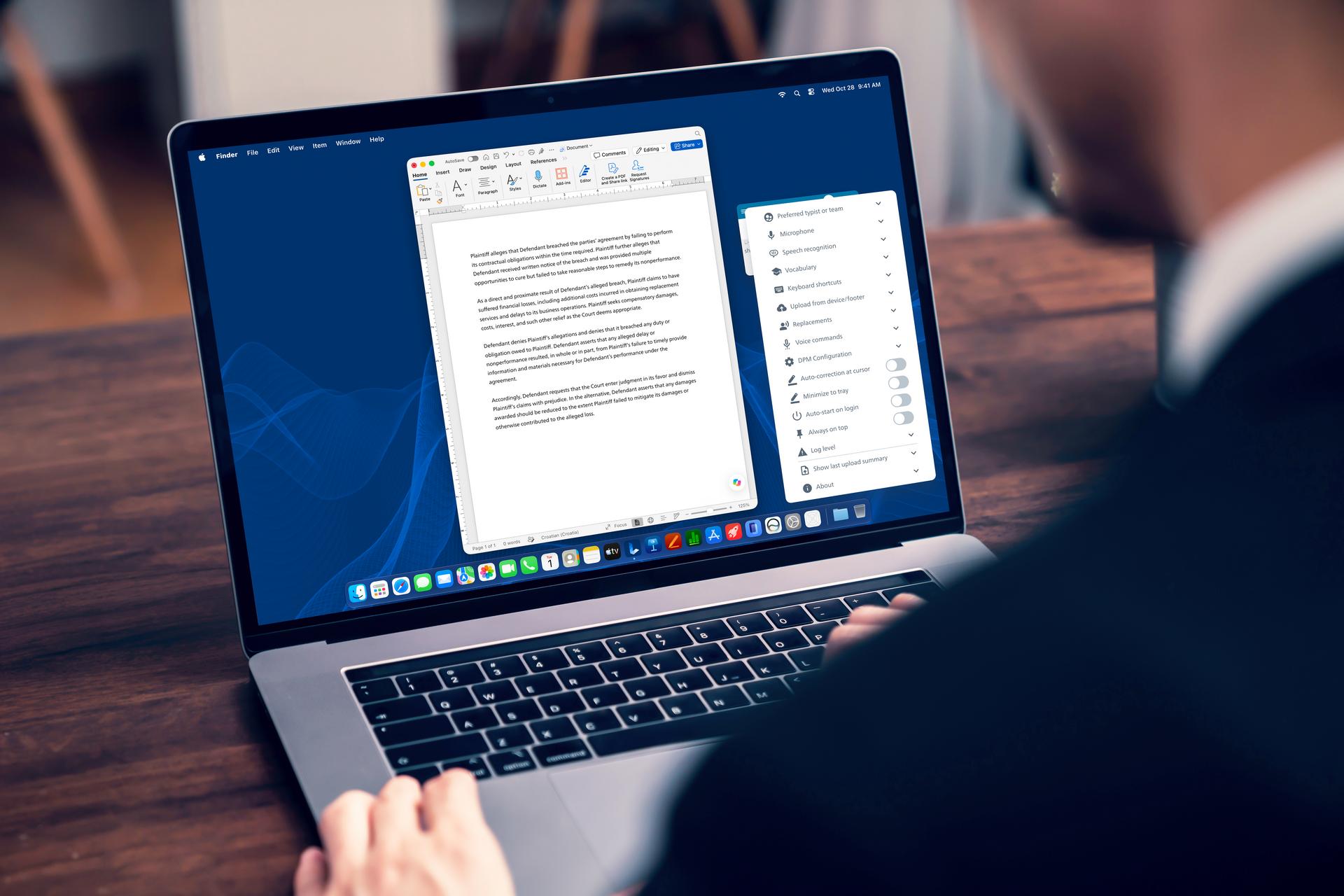
Bring familiar dictation practices into your everyday legal documentation. Philips SpeechLive Legal Direct combines specialist legal speech recognition with real-time text at the cursor and voice-controlled editing. Discover how it fits into legal dictation workflows, with vocabulary customization and professional control over the final wording.


When dictation is already part of your working day, choosing a new solution has to start with examining the capabilities you really depend on. Can you dictate directly into your documents? Edit by voice? Adapt speech recognition to the terminology you use? If a solution falls short, it can start costing your team more time than it saves.
Philips SpeechLive Legal Direct brings specialized legal speech recognition, real-time text at the cursor, and voice-driven editing into the SpeechLive environment.
For law firms reviewing their current legal speech recognition setup or whose solutions are approaching end of life, it offers a way to continue using familiar dictation practices within a connected platform during legal processes. Here is how it works and what to consider when evaluating it for your firm.
Philips SpeechLive Legal Direct is legal speech recognition software designed specifically for law firms that converts speech into text in real time, directly at the cursor in supported desktop applications. It combines Speech Recognition Legal, voice commands, and vocabulary and replacements with SpeechLive’s dictation and transcription workflows, keeping the legal professional in control of the final wording.
The redesigned SpeechLive desktop app provides the direct dictation experience. You select your microphone (such as the SpeechMike Ambient or SpeechMike Premium) and speech recognition language, then dictate into a compatible application. An active internet connection is required for real-time recognition.
Legal Direct is available to both existing SpeechLive users and law firms starting with the platform, migrating from other tools or switching from end of life solutions.
Experienced users know that useful speech recognition for lawyers involves more than capturing spoken words. The ability to handle specialist language, reliably use specific legal terminology specific terms and shape text while dictating matters just as much.
Speech Recognition Legal is tuned for legal vocabulary, citations, case references, and common legal expressions. This supports accurate transcription for work such as client correspondence, case notes, and first-pass text for legal documents.
Speech to text results still need human review, particularly where names, dates, legal terms or references affect the meaning of a document.
Dictated text appears where you place the cursor in a supported desktop application. You can work directly in your document, reducing the need to transfer text from a separate dictation editor.
For users familiar with dictation, this supports the established practice of composing and reviewing wording within the document itself.
Supported voice commands let you navigate, select, edit, and format text as you work. You can move the cursor, correct a passage, or apply supported formatting without reaching for the keyboard each time. Voice-controlled editing in this way avoids the need for as much manual rewriting.
Commands are predefined, with 29 voice commands available in 19 languages. Their availability and behavior depend on the application and speech recognition language. Automatic and spoken punctuation provide further control over how your text takes shape.
These features serve different purposes. Vocabulary helps the recognition of frequently used specialist terms, such as a company name you dictate regularly. By using custom vocabulary in this way, you can tailor the solution for your firm's needs.
Replacements change a recognized expression into a configured written form. For example, a replacement rule can turn “letter of intent” into “LOI.”
Both let you tailor dictation to your work, with configuration options and limits depending on the feature and release.

Consider an attorney preparing a follow-up letter after a client discussion.
Review can happen throughout the process. The attorney chooses the wording and decides when the document is ready to use.
SpeechLive provides a cloud-based environment for creating, routing, and managing dictation and transcription tasks. Legal Direct adds specialized real-time recognition and voice-driven text control to that foundation.
A lawyer can dictate directly into a supported desktop application when composing a document, while the team can continue using SpeechLive’s supported recording and transcription workflows for other tasks. Available workflow functions depend on the subscription, configuration, and user permissions.
For AI-assisted legal document drafting, SpeechLive Legal AI Assistant is a separate offering. It uses dictated input and multiple supporting files to create structured document drafts for review.
Legal Direct supports speaking your chosen wording into a document. The AI Assistant supports a separate drafting workflow, with human review required in both cases.
For firms reviewing their current legal dictation software, a demonstration is an opportunity to assess Legal Direct against everyday requirements. Check application compatibility, supported voice commands, and terminology customization, and discuss setup and onboarding support for your team.

Client confidentiality is central to legal documentation. Legal Direct operates within SpeechLive’s security and data-protection framework, hosted on the Microsoft Azure infrastructure, encryption, role-based access controls, and service-region data residency.
Review the SpeechLive security and data protection information in the Trust Center when assessing the platform against your firm’s requirements.
Legal professionals remain responsible for checking recognized text and approving the final document. Recognition supports the documentation process, while professional judgment determines the content used.
When choosing your next legal dictation solution, start with the tasks your team needs to retain.
Book a demonstration to assess SpeechLive Legal Direct against your applications, voice commands, and dictation requirements. Still have questions about SpeechLive Legal Direct? Check our our Frequently Asked Questions on the product page, or get in touch to discuss your current setup and the support available.
Book a demo and experience Philips SpeechLive Legal Direct today.
3 min
Dictation isn’t a relic of the past – it’s a modern productivity tool. Discover how cloud-based, AI-powered solutions like Philips SpeechLive are helping law firms work faster, stay secure, and…
7 min
From AI-powered dictation to intelligent transcription, modern speech-to-text tools are helping law firms create accurate documents faster while reducing administrative workload. Here’s how…
8 min
The best legal dictation software should do more than turn speech into text. This guide compares leading platforms and explains what law firms should consider – from legal accuracy and workflow…