Whats new (2023)
2023, December 18
Desktop App 3.5.5 (Mac)
The SpeechLive Desktop App is now also available for macOS!
2023, December 18
Desktop App 3.5.5 (Windows)
Bugfixes
The work type and the dictation priority was not transferred when uploading files from some 3rd party devices.
2023, December 18
Mobile App 1.19.0 (iOS) / 1.17.0 (Android)
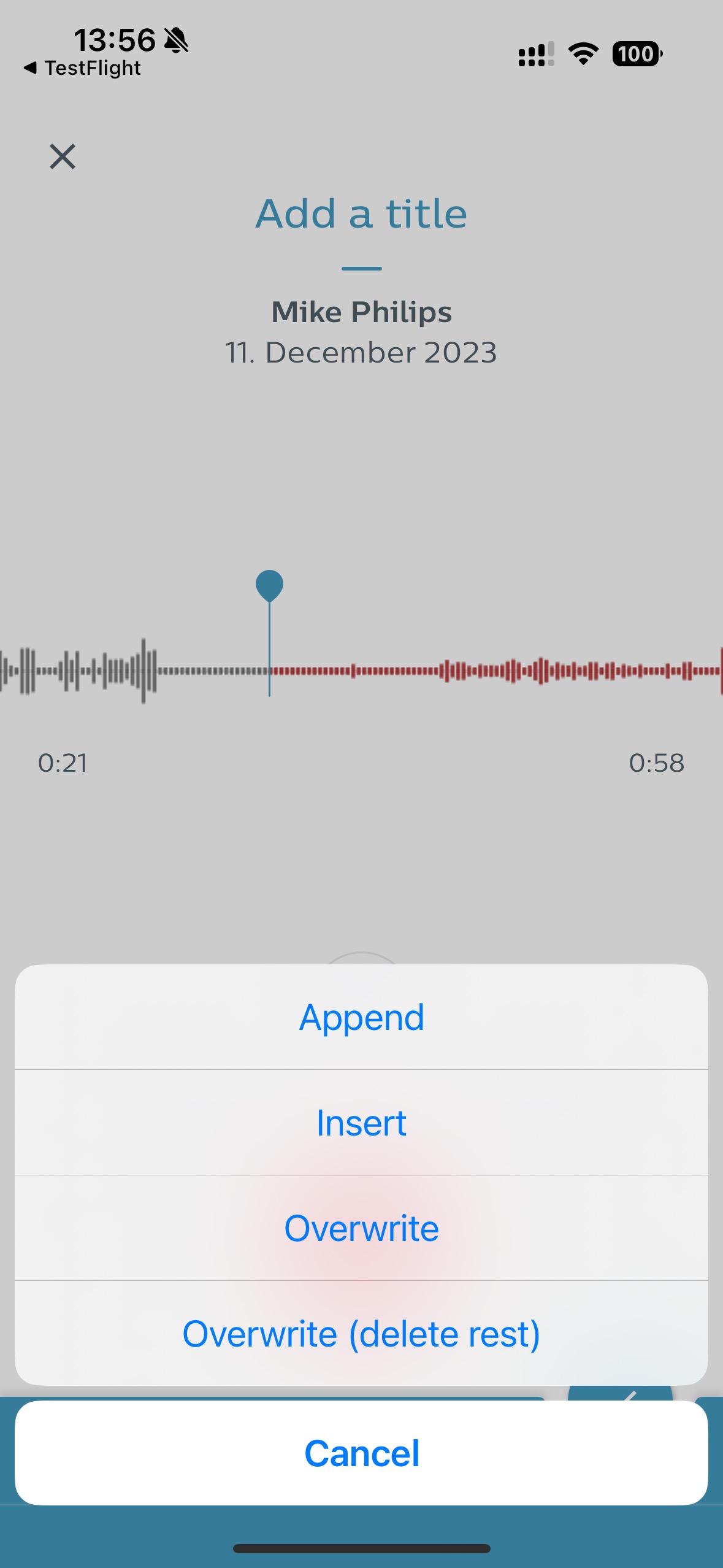
New recording mode: Overwrite (delete rest)
Users are now able to not just overwrite parts of a dictation - as it is already possible - but also use a new overwrite mode to delete everything in a dictation after the cursor. This helps the user to save a lot of time when they want to change what they already recorded, especially in very long dictations.
 |
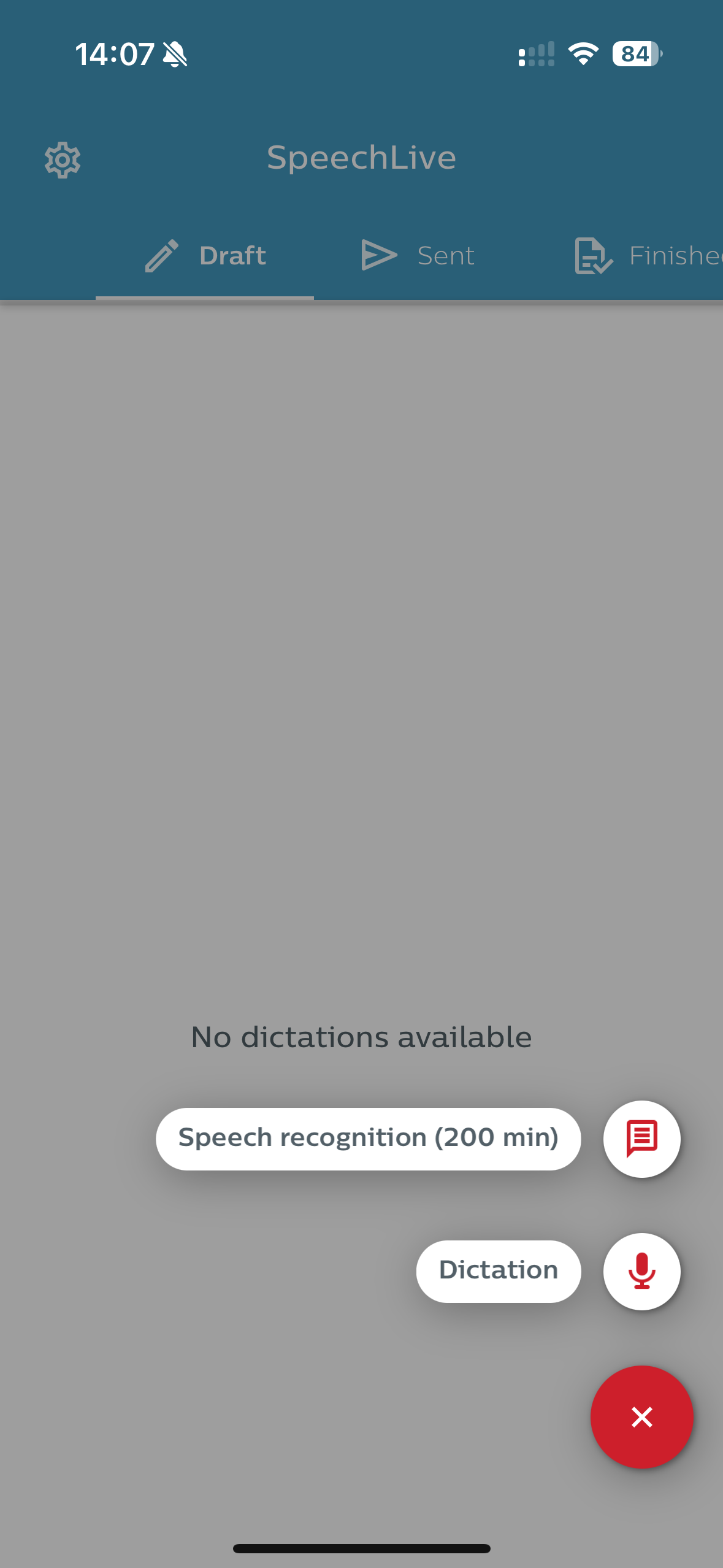
Display remaining free speech recognition minutes
The remaining minutes were already displayed in the Web App, now users also see their remaining free speech recognition minutes in the Mobile App. This change also includes better error messages if users run out of their free minutes.
 |
Bugfixes
Some users were unable to create dictations until they restarted their phone (iOS).
2023, December 13
New Web App
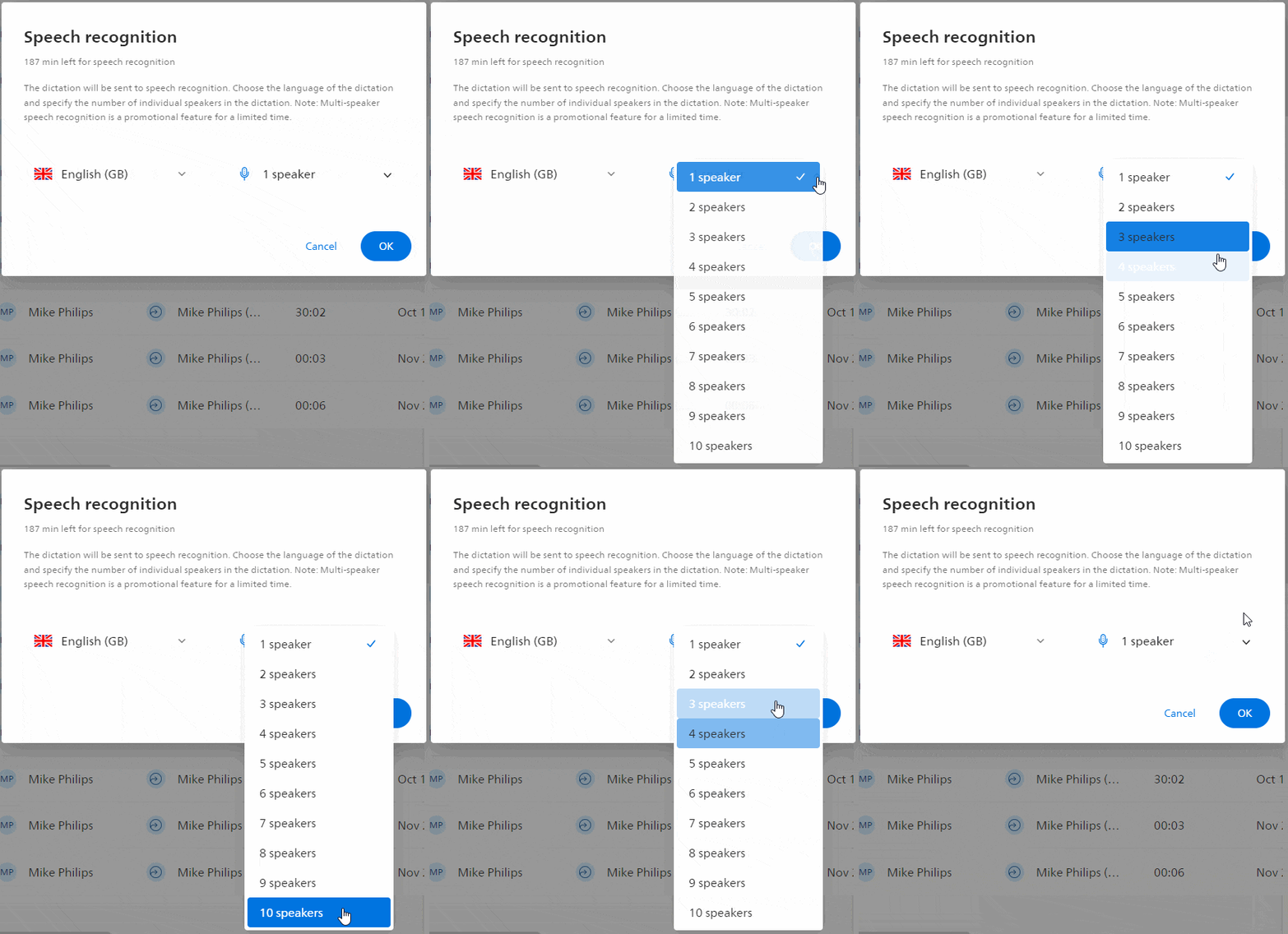
Multi speaker support for speech recognition
We added support for speaker diarization when sending dictations to speech recognition. This e.g. allows users to record meetings with up to 10 speakers. The user will then receive a transcript that accounts for the different speakers.
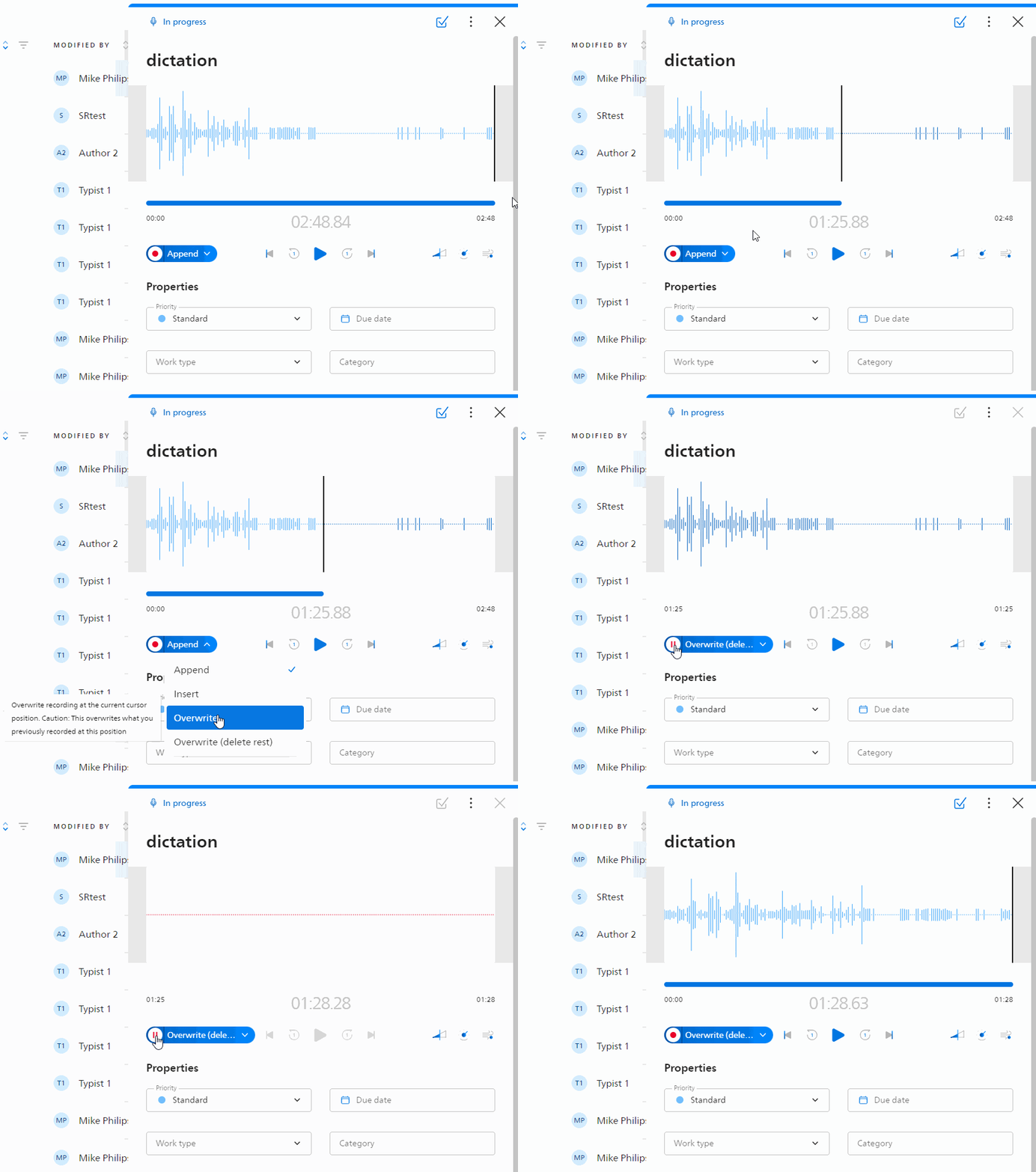
New recording mode: Overwrite (delete rest)
Users are now able to not just overwrite parts of a dictation - as it is already possible - but also use a new overwrite mode to delete everything in a dictation after the cursor. This helps the user to save a lot of time when they want to change what they already recorded, especially in very long dictations.
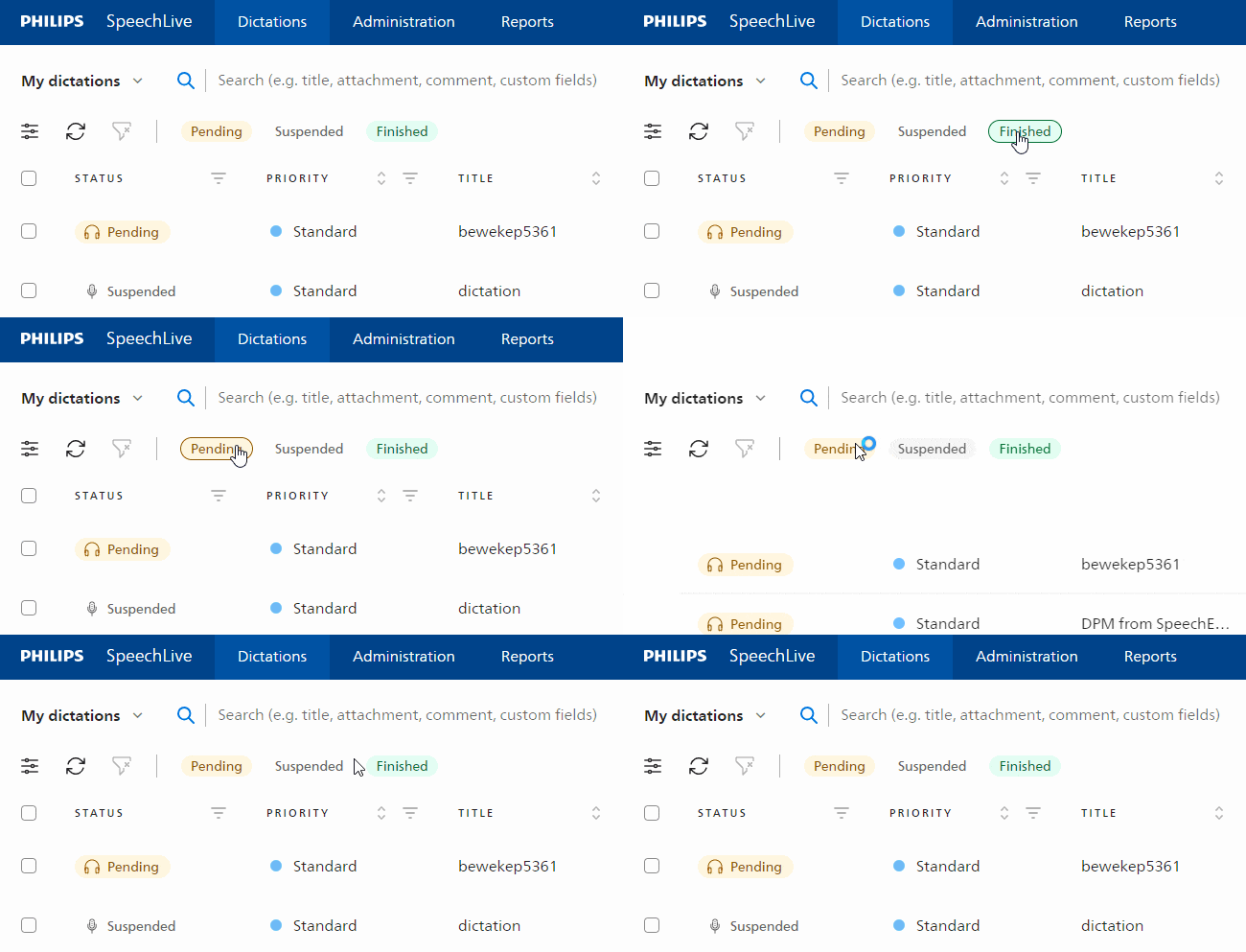
Quick dictation filters
Users where already able to filter columns of the dictation list according to their needs. With quick filters they now have an additional option to filter for certain dictations. It also allows typists to quicker identify the dictations they need to work on next.
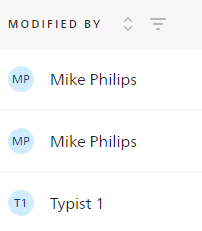
New column: Modified by
We have added a brand new column to the dictation list: Modified by. This column shows which user last modified the dictation. It helps typists, for example, to see who has worked on a dictation before.
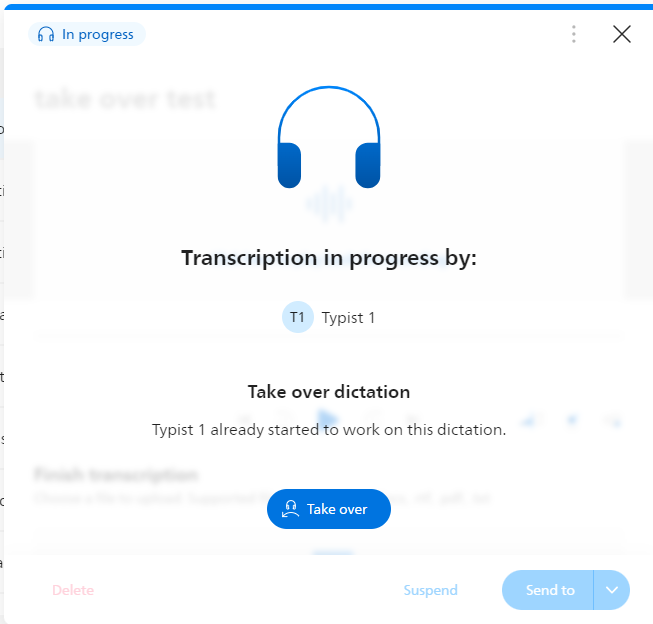
Take over dictation
Typists can now take over dictations from other typists. This allows typists to see who is currently working on a dictation and to take over if necessary.
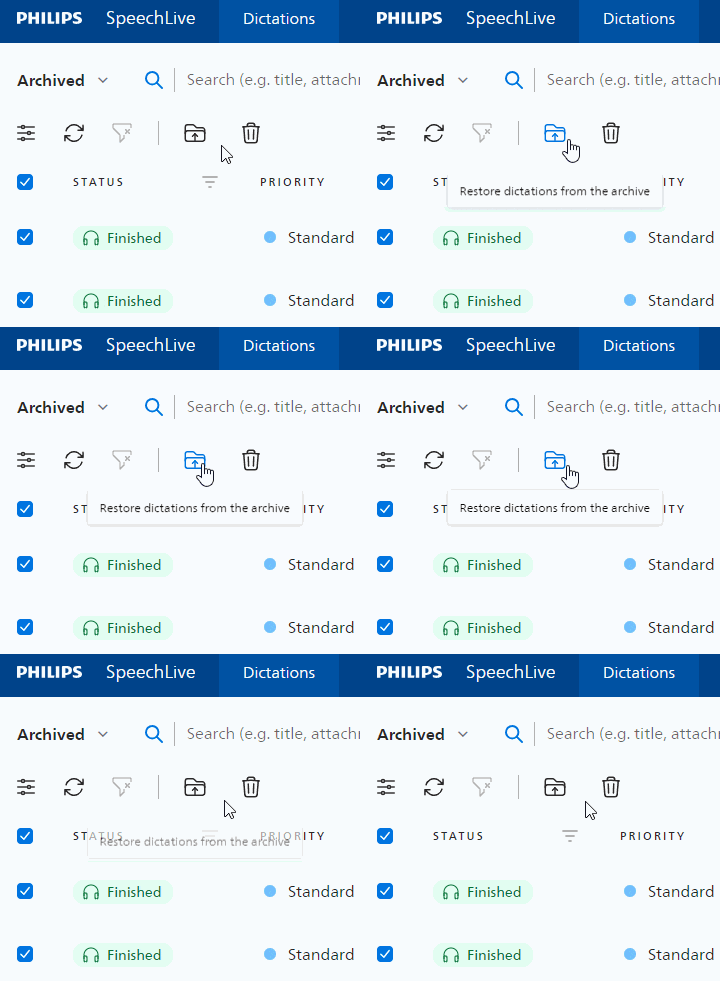
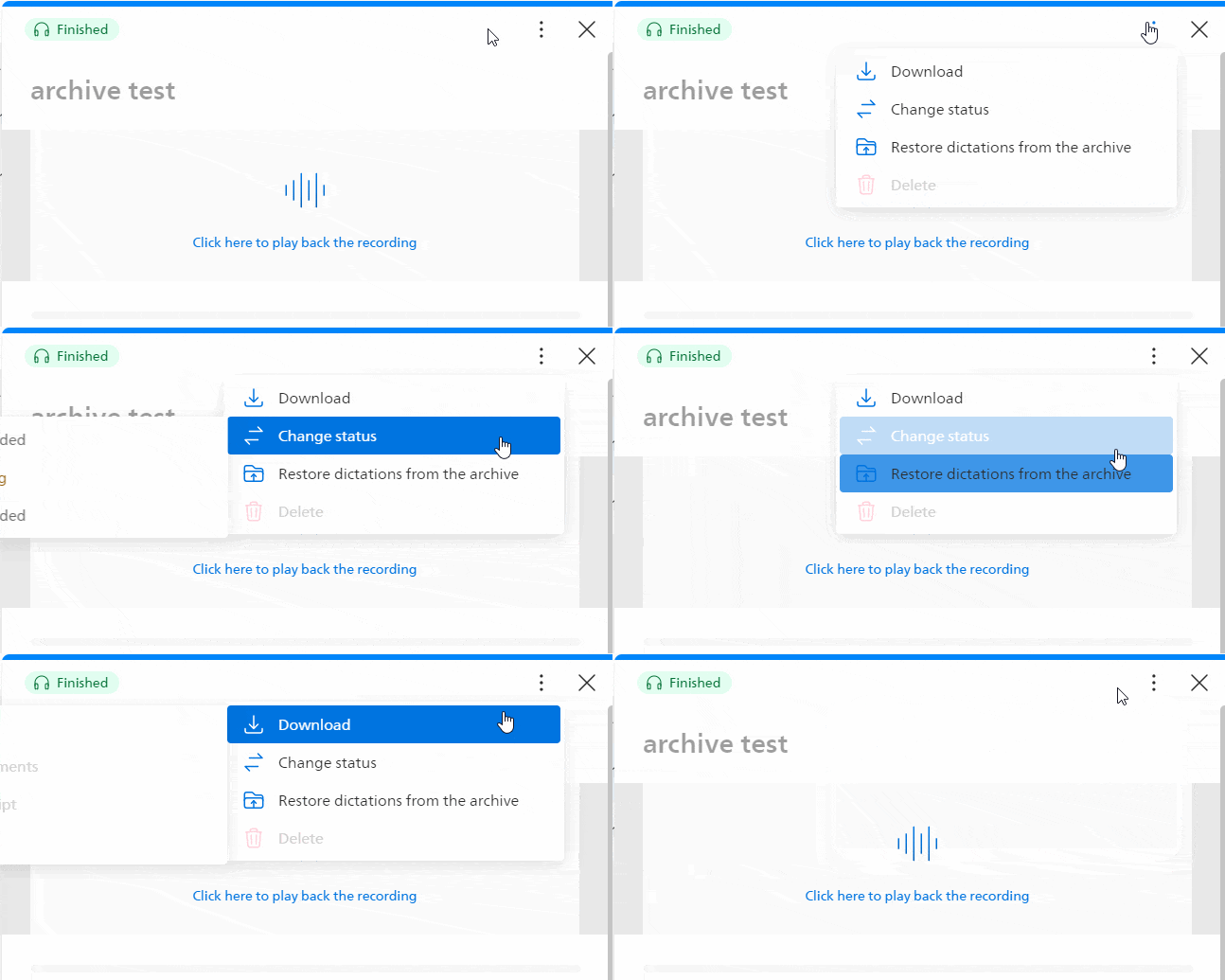
Restore dictations from the archive
We added an easier way to move dictations out of the archive folder. Users can now select multiple dictations and bulk un-archive them, or just move single dictations by selecting the option in the context menu.
Filter and sorting icons always displayed
We changed the behavior of the filter and sorting icons. Both elements are now always displayed, so users can easier spot these options which greatly improve their daily work.

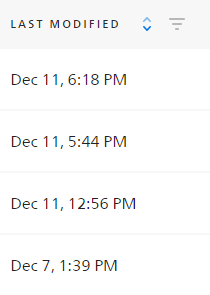
Default sort is now last modified
The dictation list is now sorted by default using the last modified date. This allows users to quickly see the most recent dictation at the top of the list. Of course, they can still manually change the filters to customize the dictation list to best suit their needs.
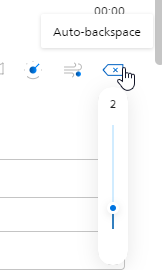
Auto-backspace for authors
If authors use dictation hardware, they now also have the option to change the auto-backspace setting. This improves their daily lives when they work on a dictation and check their recording.
Bugfixes
We have made some changes to the order in which users are displayed in the relationship sections.
The pedal settings for the foot control where not applied immediately.
The Send to button would sometimes not work properly.
Some users encountered an error when filtering by dates in the dictation list.
2023, November 29
New Web App
New trial sign-up process
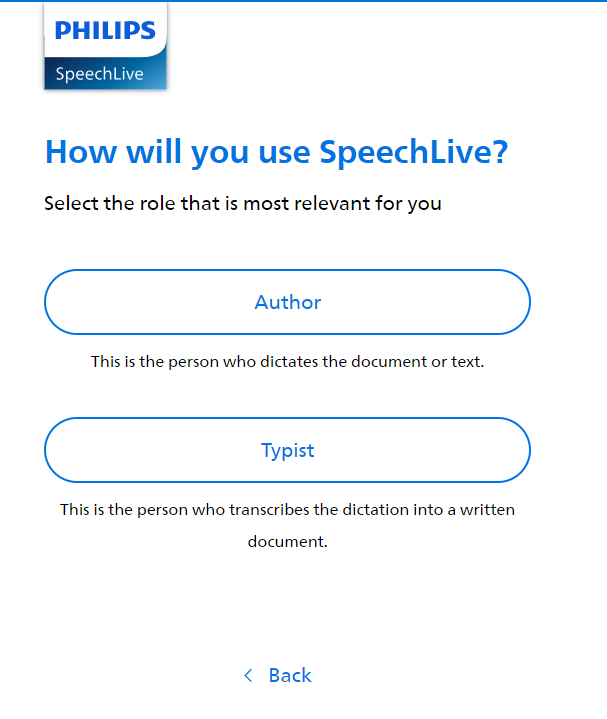
We improved the sign-up process for new trial users. This enables users to sign-up more easily for a SpeechLive trial and they can now even choose the user role during the sign-up.
 |
2023, November 28
New Web App
Office managers can reassign dictations in different states
We added more assignment options for the office managers. They can now reassign dictations if they are in one of the following states:
Transcription pending
Correction Pending
Transcription suspended
Correction suspended
Recording Suspended
Transcription finished
This greatly improves the daily tasks of office manager when they need to reassign specific dictations to different users or teams.
More granular playback speed
Users can now change the playback speed of their dictation with even greater granularity. The playback speed can now be adjusted in 0.5 increments, allowing transcriptionists to choose the playback speed that best suits their working style.

Improved automatic sign out
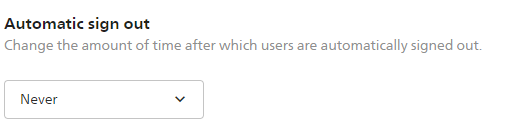
We made some improvements to the auto sign out feature. If users are working on dictations in progress, auto sign out is prevented. The same is true if users are recording a dictation or playing back a dictation. The new default value for the auto sign out was also changed to “Never”. Account administrators can of course still change this setting any time in the settings of SpeechLive.
Bugfixes
The real-time speech recognition is now also using the Rich Text Format (RTF) for the transcript.
We improved the error messages when setting the name of a team.
Some team icons were not shown correctly in the dictation list.
When filtering for dates in the dictation list, the time value is now also considered (e.g. if dictations where created on the same day).
It’s now possible to delete an author user if the user is also an account administrator.
Some account administrators where unable to sign in if multi-factor authentication was enabled for them.
Fixed a bug that caused extra text to be displayed when deleting dictations in bulk.
We improved the error handling when deleting dictations in bulk and an error occurs.
2023, November 3
New Web App (Beta)
Auto-refresh of dictation list
As already available in the old Web App, the new Web App now also supports auto-refresh for the dictation list. This means the dictation list will be automatically refreshed periodically to ensure users always see the latest dictation state and new dictations. Note: This is the first step towards a bigger and more sophisticated auto-refresh feature which is planned for the upcoming months.
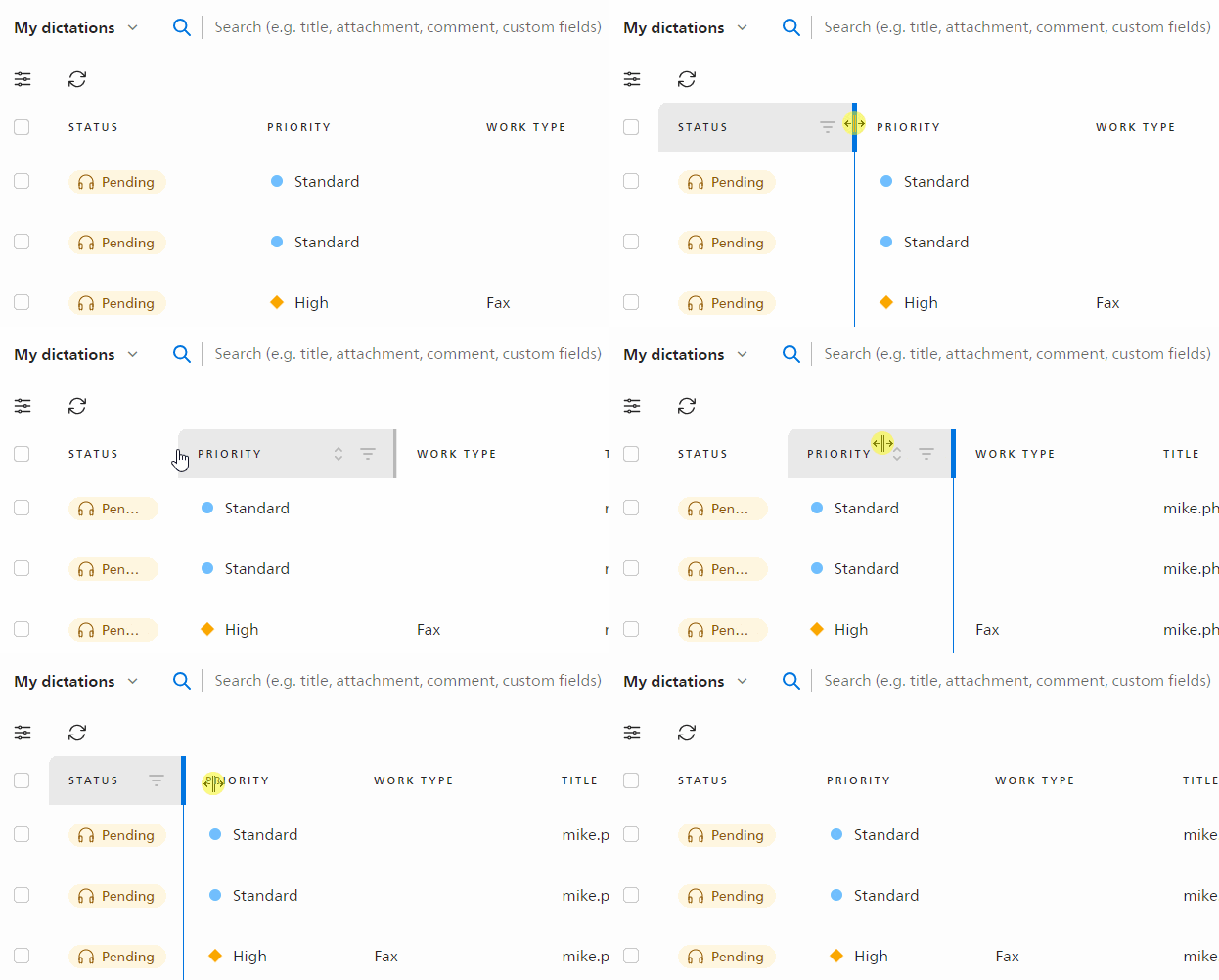
Custom table width
Users can now change the width of the table columns in the dictation list. This enables users to further customize the dictation list to their needs, so they always see the information most important to them.
 |
Remember cursor position
If typists start to work on a dictation and save it as draft, SpeechLive will remember the last playback position. This greatly improves the daily work especially when transcribing longer dictations.
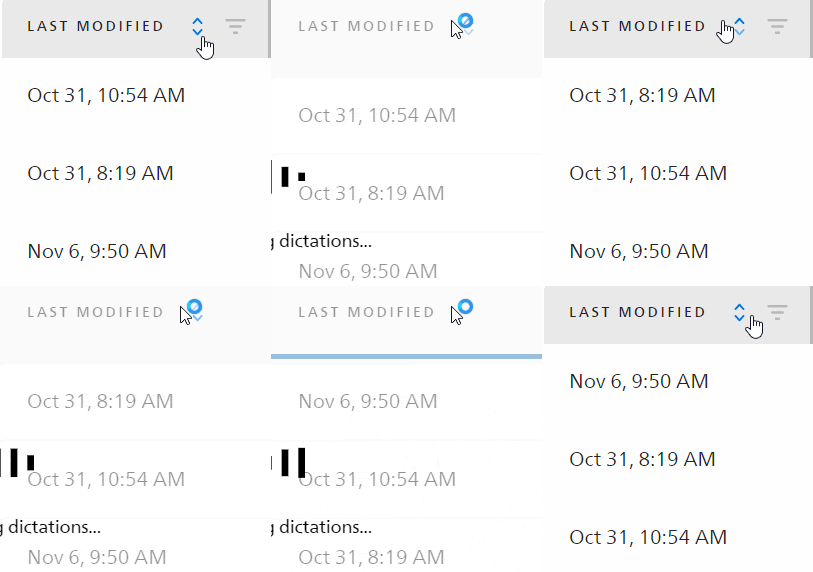
Sort and filter by last modified date
Users can now sort and filter the dictation list also by the last modified date, offering more flexibility on how they want to sort their dictations.
 |
Sort by author
The author column already had a filter option, but now we also added a sort function to this column, giving the users additional options to customize their dictation list.
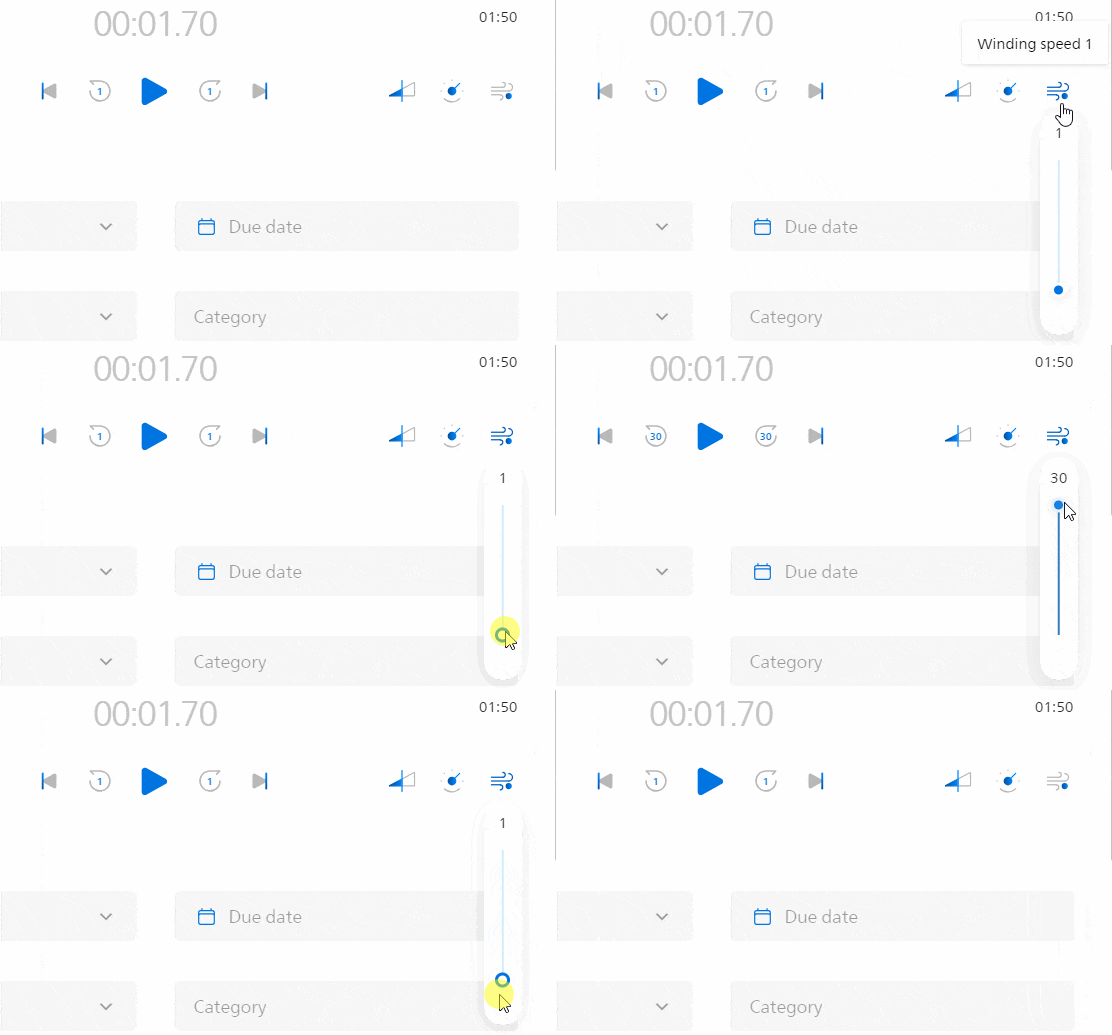
New default winding speed
We changed the default value of the winding speed to 1. This means the cursor now jumps back only 1 second when users play back a dictation and click on the fast forward or rewind button. This value can of course still be further tweaked by the user to their preference.
 |
Transcript reminder for typists
If typists try to finish a dictation without adding a transcript, we will show them a short confirmation message. This way the users get a quick reminder, avoiding any internal overhead for missing transcripts.
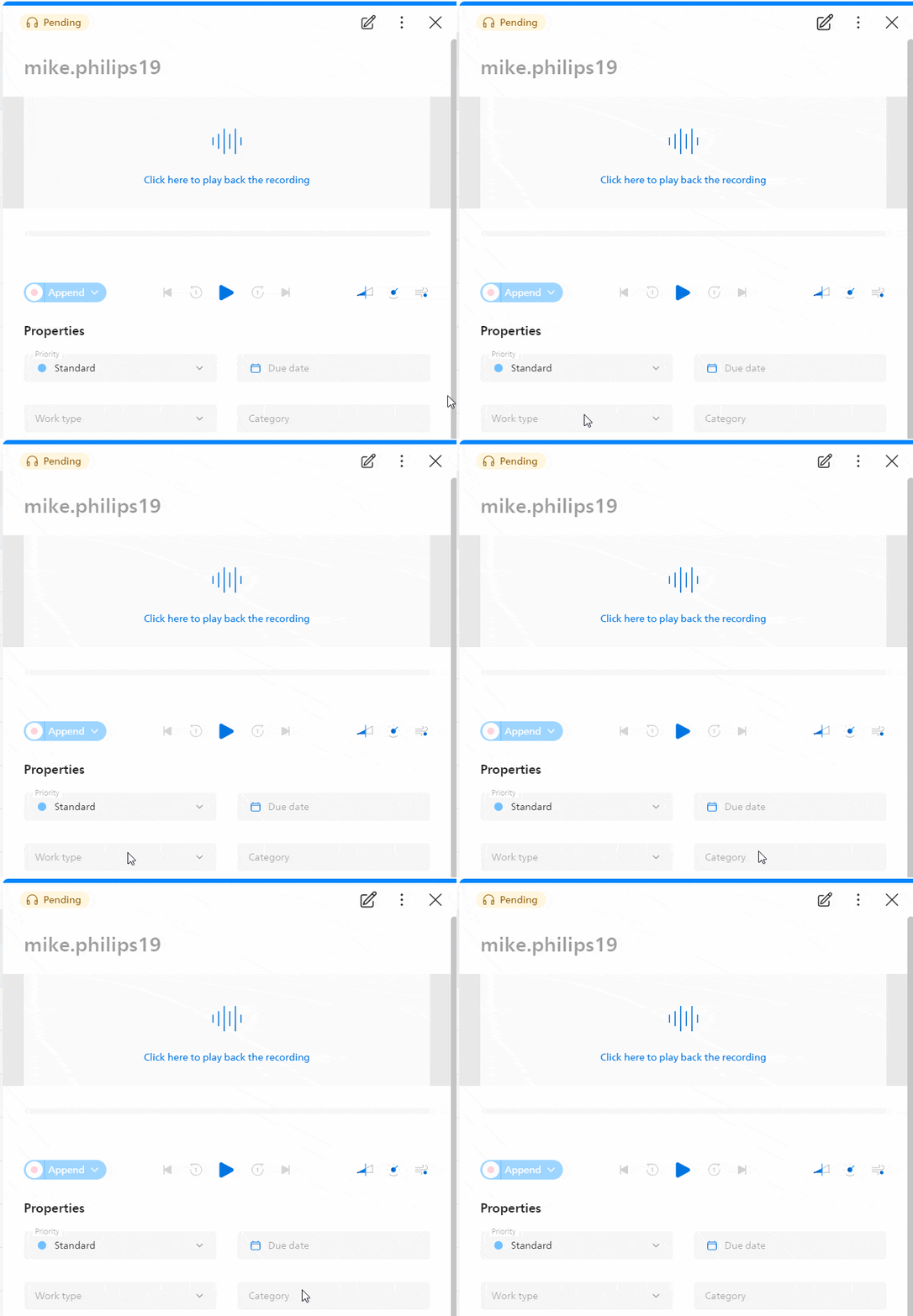
Edit dictation icon animation
We added a short animation to the edit dictation icon if users are trying to edit dictation properties. This way the users can see more prominently that they can use the edit icon to edit the properties of a dictation.
 |
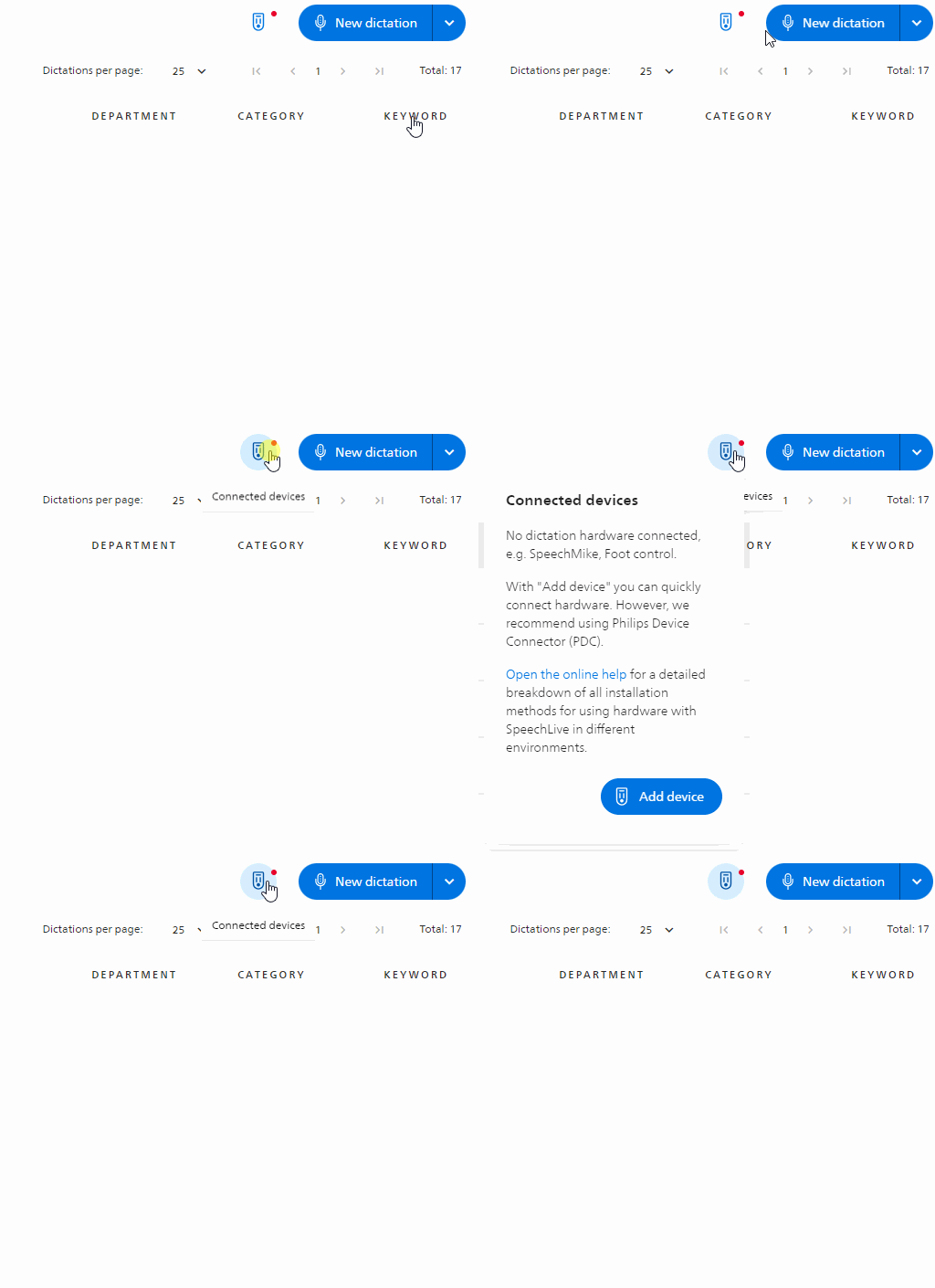
Improvements to add hardware dialog
We improved the dialog where users can add new hardware devices. From here, users can now always directly access the online help to read up on all different methods on how they can add hardware devices to SpeechLive.
 |
Bugfixes
We removed an error message when users where editing dictations and refreshing the dictation list.
We have removed an unnecessary error message when users reassign dictations as office manager.
Fixed some performance issues when users accessed the archive folder, which also caused some users to be unable to access the archive folder.
2023, November 2
Desktop App 3.4.7 (Windows)
Support for additional file formats
We added support to upload and convert additional audio formats to SpeechLive (manual as well as automatic upload). This includes support for DS2, WAV and MP3.
2023, October 30
Mobile App 1.18.2 (iOS) / 1.16.1 (Android)
Bugfix: We fixed a bug where the settings of Unified Endpoint Management (UEM) as well as Mobile device management (MDM) were not applied before the user signs in to the Mobile App.
2023, October 24
New Web App (Beta)
Added support for DS2 files
Playback of .DS2 files is now supported.
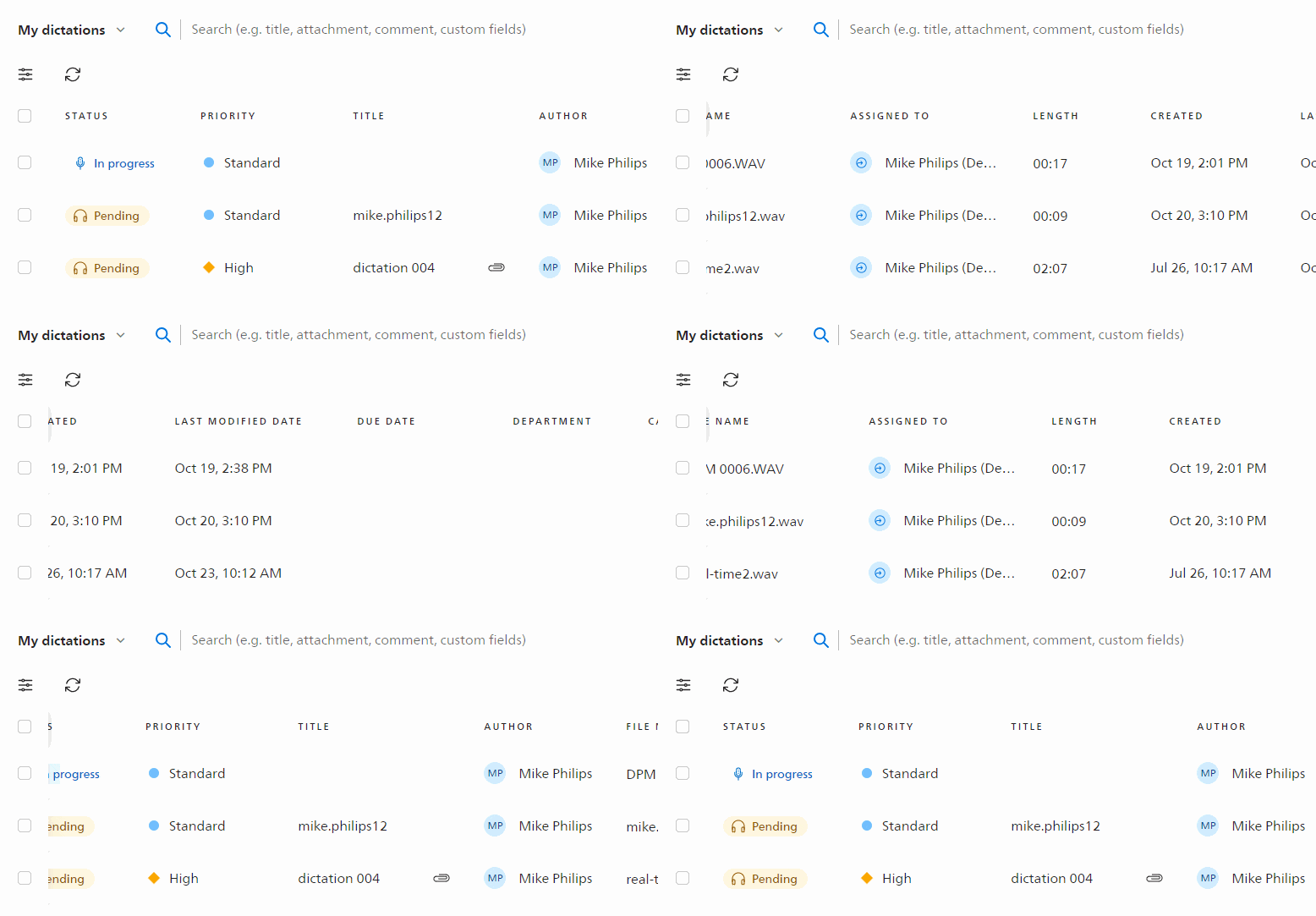
Sticky checkboxes in the dictation list
Users may need a wide range of columns in the dictation list to access all dictation properties at a glance. When scrolling to the right, the checkboxes to select dictations are now sticking on the left of the screen. This enables users to select multiple dictations more easily when looking for specific dictation properties.
 |
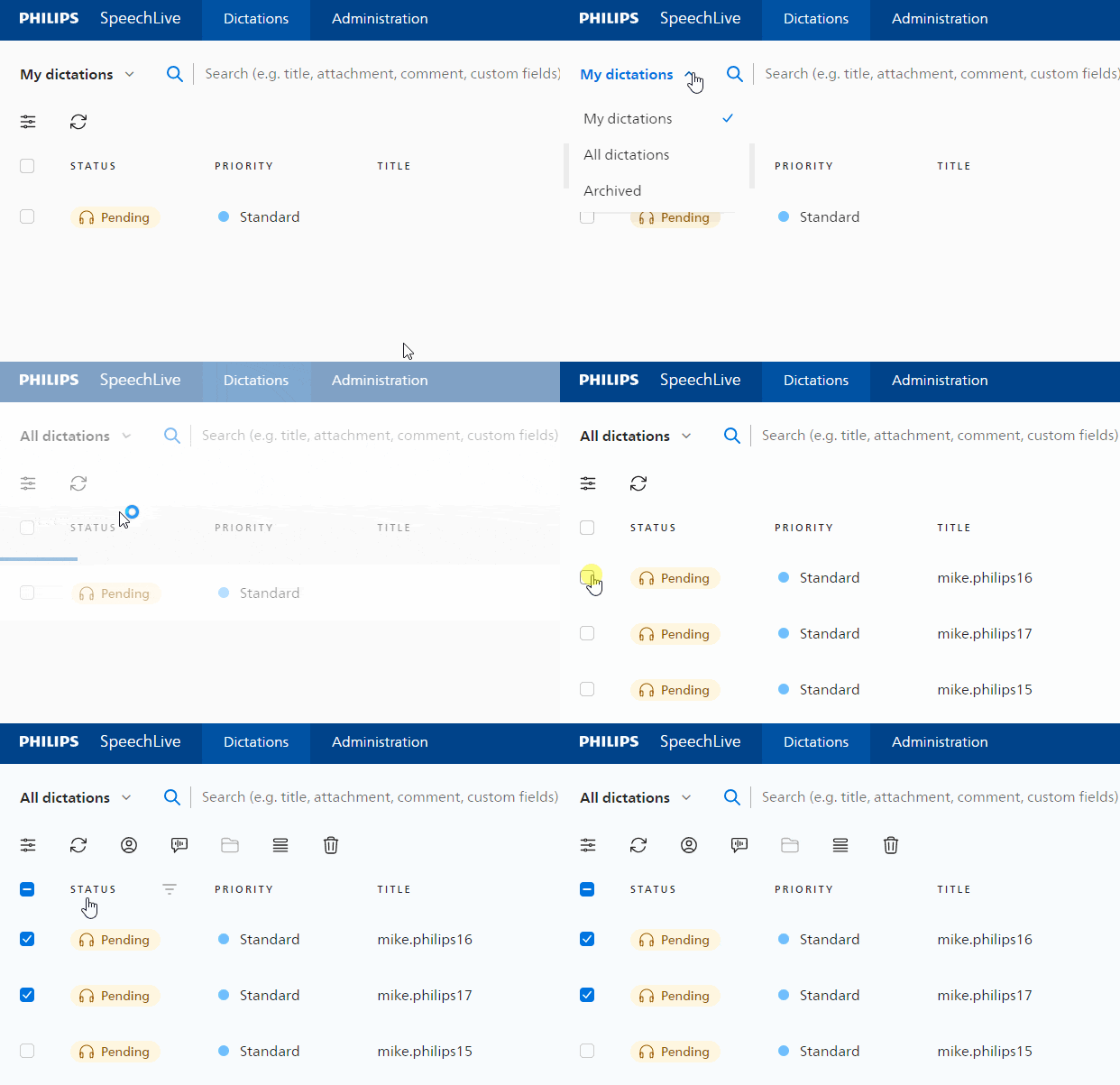
Reassign dictations for office manager
Office managers can now reassign dictations, even if they are not directly connected to workflow users.
 |
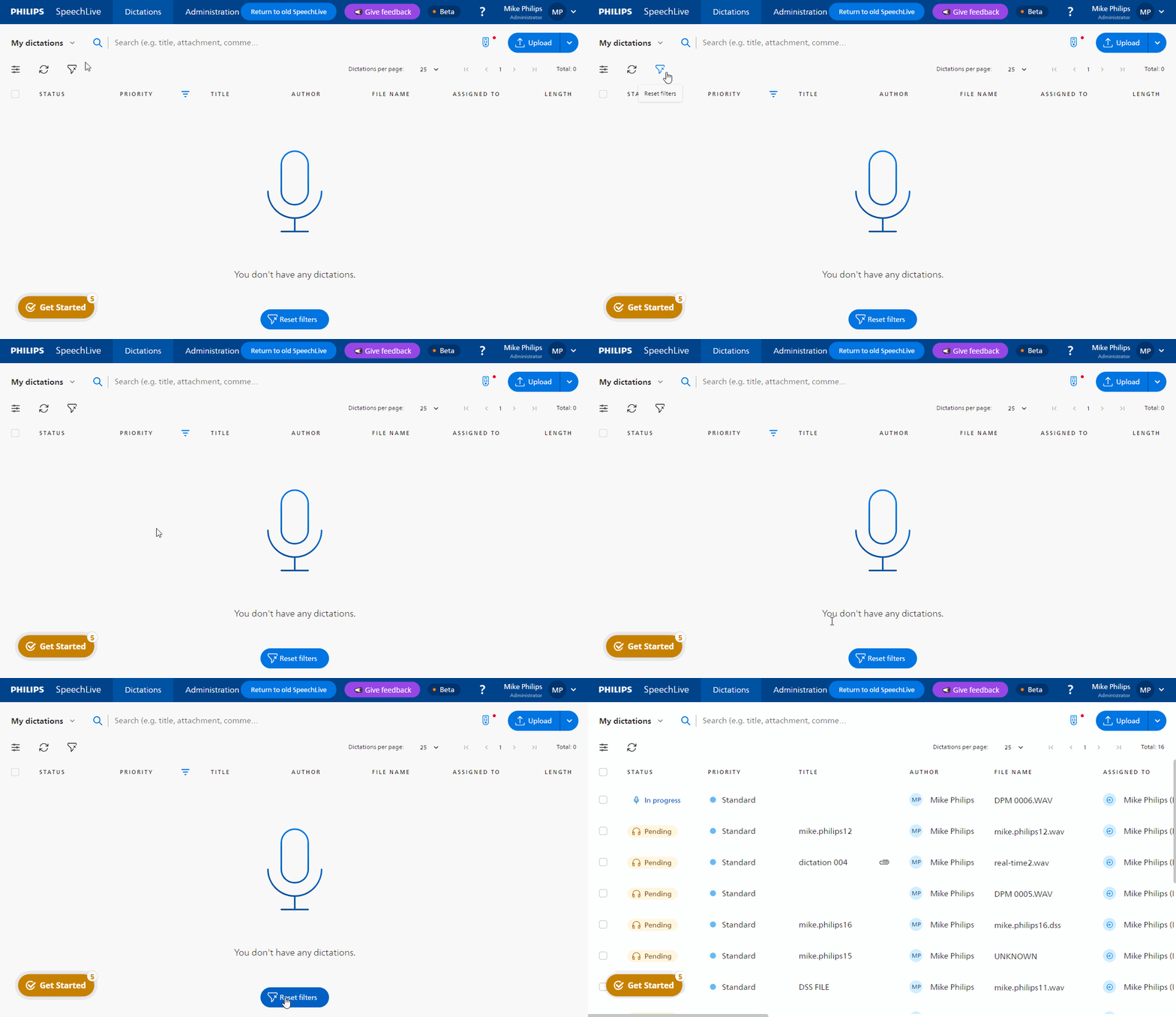
Additional reset filter buttons
We already offered a reset filters buttons for the dictation list in the toolbar. However, some users may be faced with an empty dictation list when filters are active. To address this, we have added an additional reset filters button that is more prominently placed so that users can quickly reset all filters and see all dictations. This feature is available for both the dictation list and the workflow user list.
 |
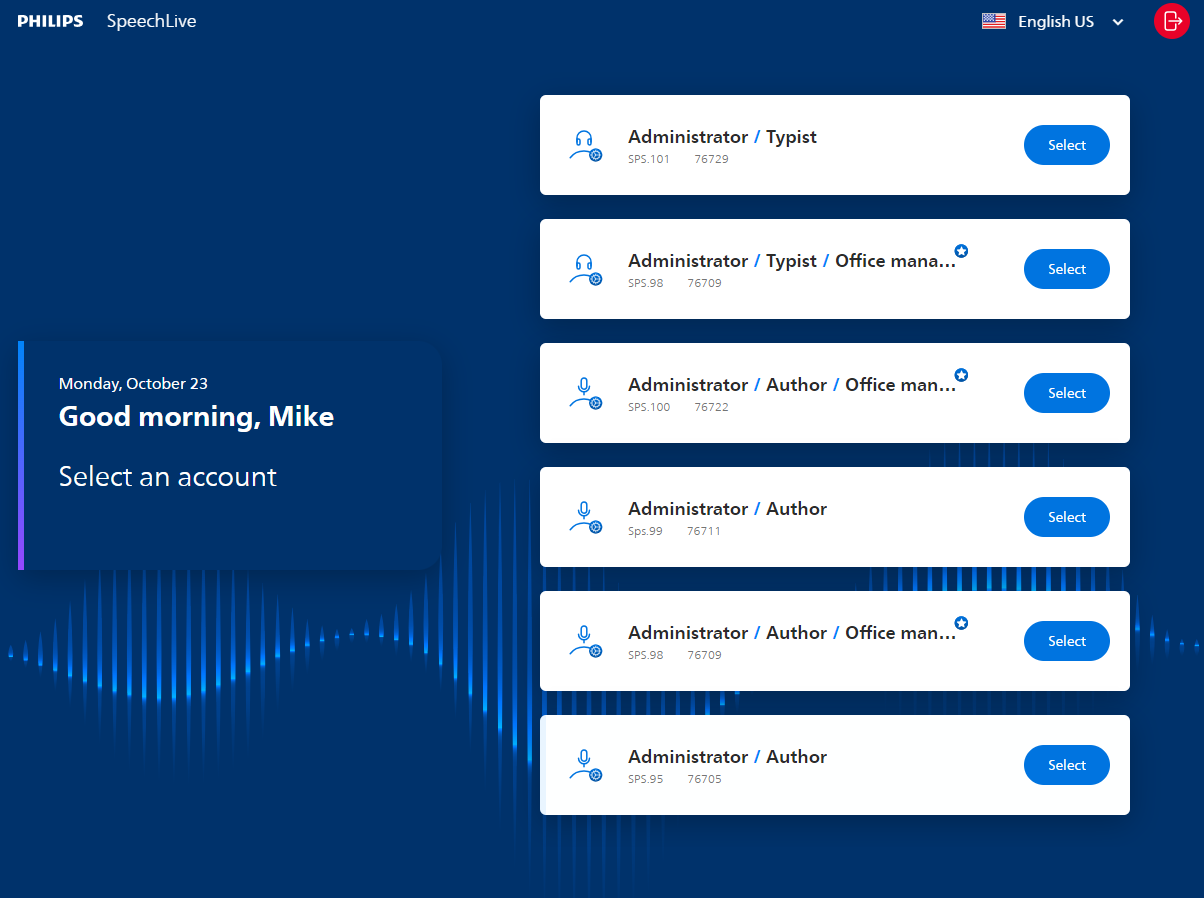
Improved account selection page
We have redesigned the account selector page, it is now more clearly arranged so that users can more easily select the account they need.
 |
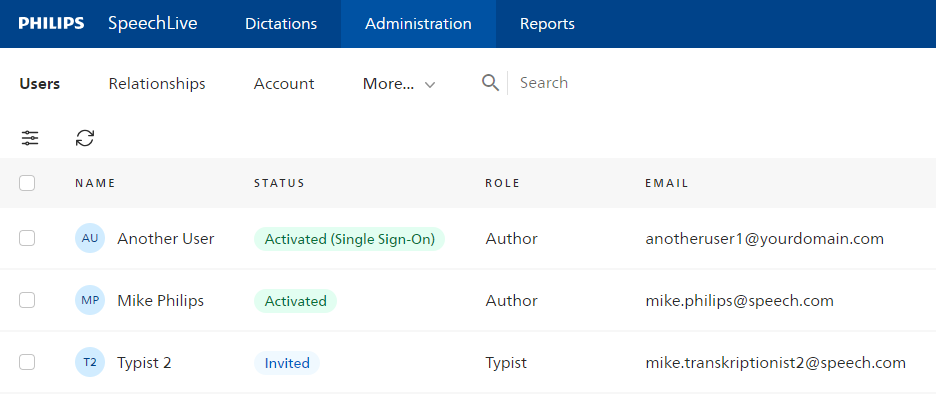
Users added via Single Sign-On now visible in user list
If users are added via Microsoft Single Sign-On, this is now also indicated in the user list in the administration section. This change helps account administrators to get a better overview how users have been added to SpeechLive.
 |
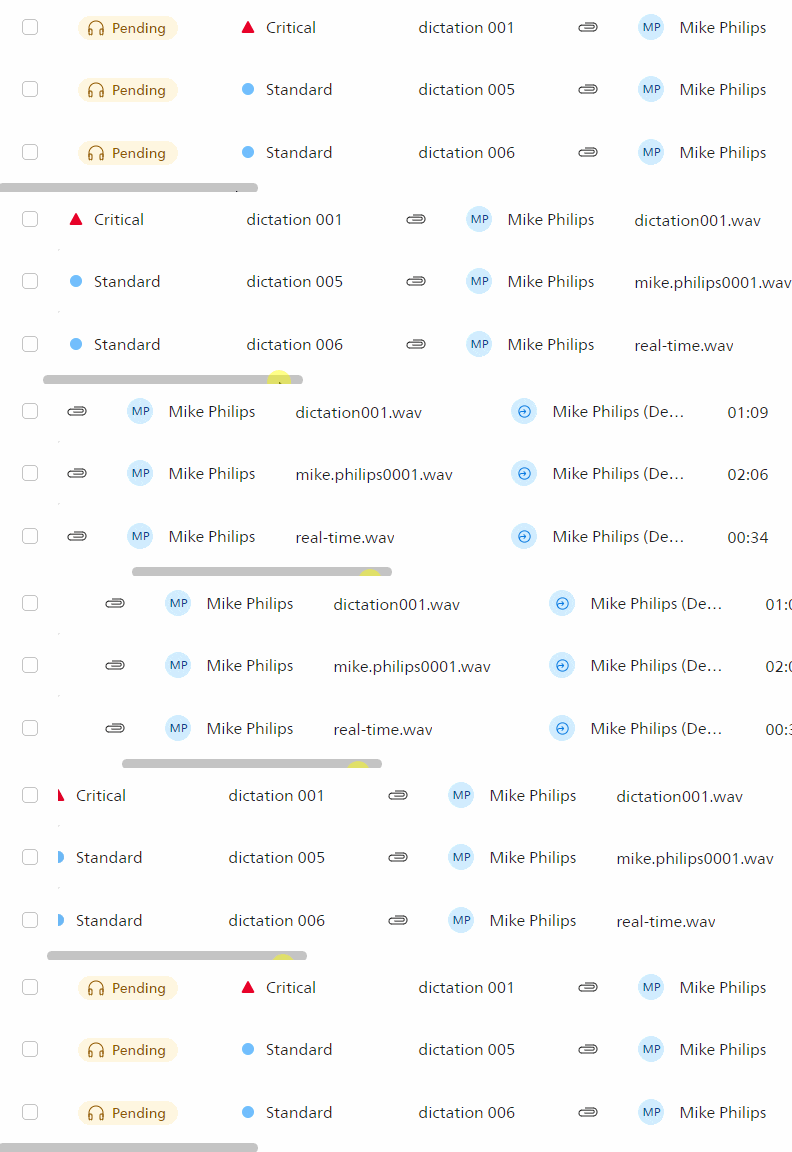
Improved scrollbars
We improved the size of the scrollbars, so users are better able to navigate the dictation list and other user interface elements.
 |
Dictation history download for office managers
The download of the dictation history is now also available for office managers.
Bugfixes
When sending dictations to a typist, the “Remember selection” option did not work.
There was an infinite loop after the sign in for some users.
2023, October 12
New Web App (Beta)
Bugfix: Users of macOS Sonoma could not access SpeechLive.
2023, October 3
New Web App (Beta)
Bugfix: The display language of the application did not persist when changed and reverted back to English.
Bugfix: Foot control ACC2310 did not work.
2023, October 2
Mobile App 1.18.0 (iOS) / 1.16.0 (Android)
Internal improvements of the app.
2023, September 27
New Web App (Beta)
Reports
Administrators can view reports on their workflow users, such as typist turnaround time, average dictation length, and more. This statistical information helps the administrator plan more accurately, such as how quickly dictations are transcribed.
Account switcher
Users which are part of different SpeechLive accounts are now able to switch between these accounts by simply using an option the user menu.
 |
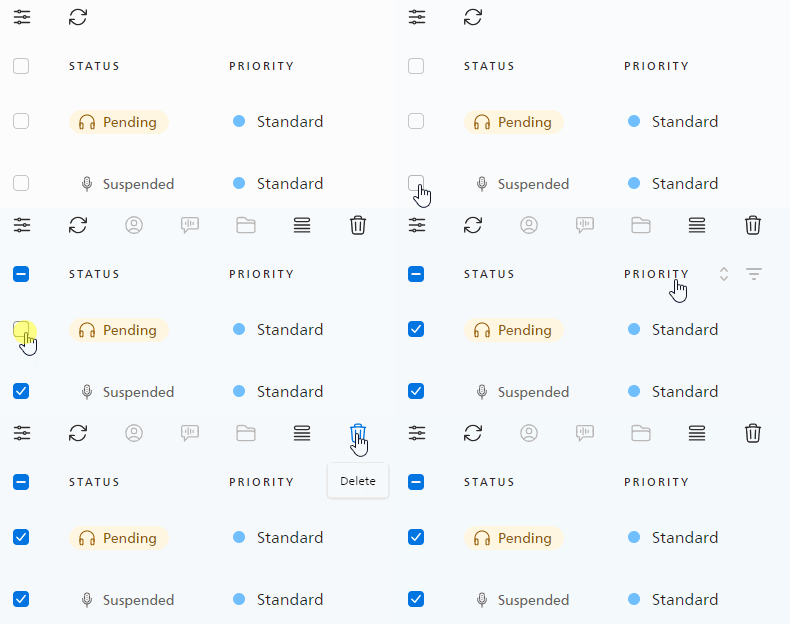
Bulk deletion of dictations
Users can now select multiple dictations in the list and delete them all at once, saving them a lot of time when deleting dictations.
 |
Bulk reassignment of dictations
Users can select multiple dictations in the dictation list and reassign them to another user. This saves a lot of time, especially when a user is unavailable and many dictations need to be reassigned.
Bulk archive of dictations
Once a dictation is finished, it can be sent to the archive. This new bulk action allows users to do this for multiple dictations at once.
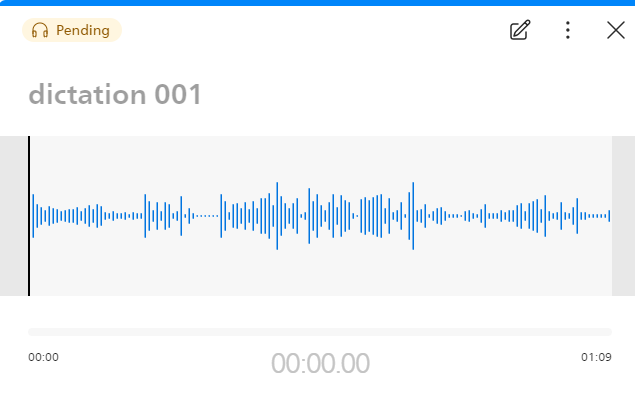
Audio waveform
Dictations are now shown as wave form. This enables users to better understand the recording and jump quickly to the correct position within the dictation.
 |
Upload video attachments
Users are now able to attach videos to their dictations, giving them an extra option to add information to their dictations.
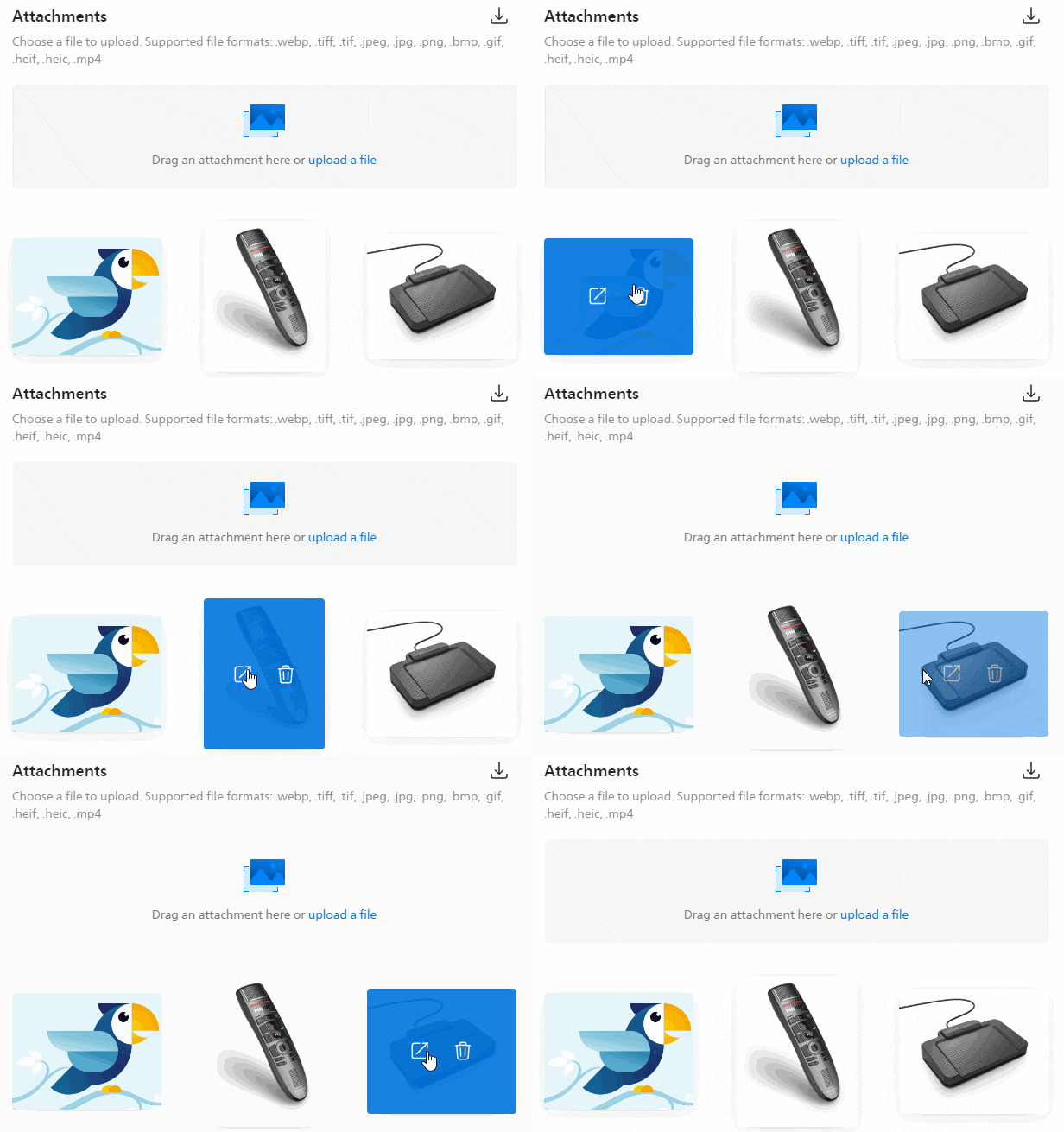
Attachment gallery and preview
Users are now able to preview and view the attachments of a dictation in a handy gallery view.
 |
Extended audio format support for upload
SpeechLive now supports more audio formats when uploading dictations.
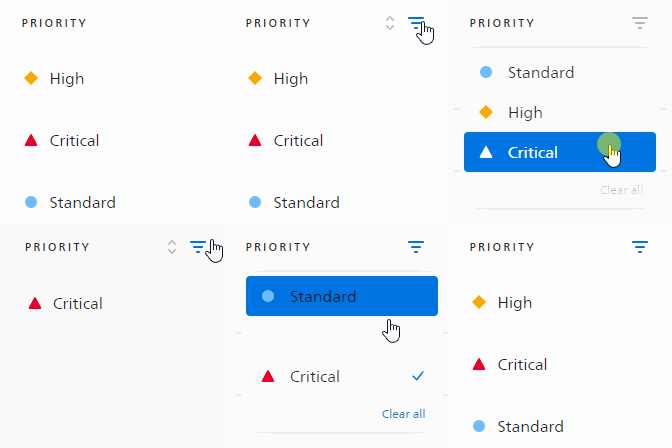
Filter dictations by dictation properties
Users are now able to use various filters to only display specific dictations in the list, e.g. dictations with a higher priority, or assigned to a specific user.
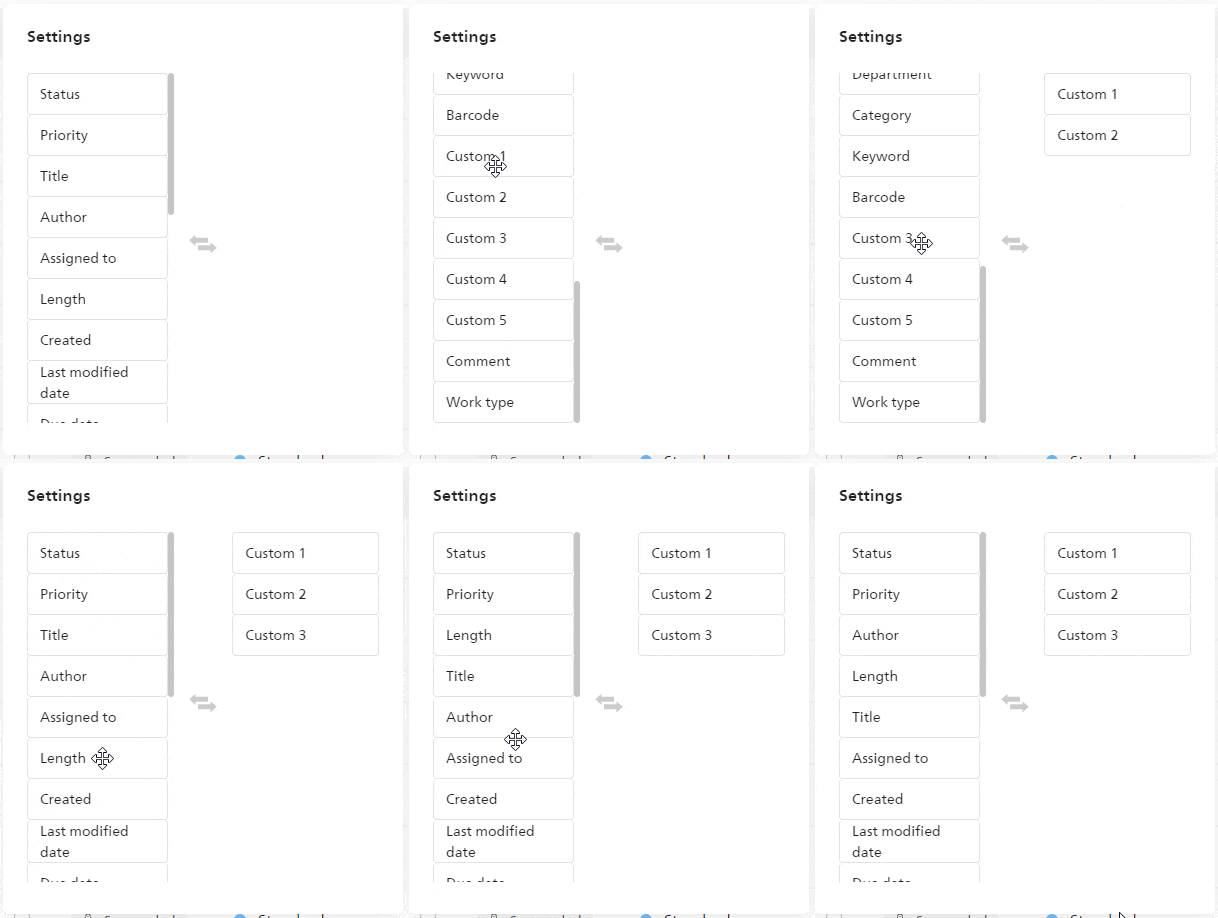
Customize columns in the dictation list
Users are able to customize the order as well as the displayed columns in the dictation list.
 |
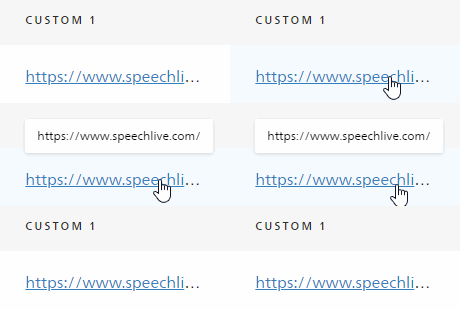
URLs in custom properties
URLs added to the custom properties can be clicked and directly opened from the dictation list.
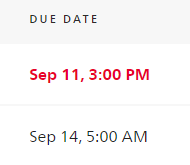
Highlighted due date
If the due date of a dictation is approaching, it is automatically highlighted so users can easily see which of the dictations in the list are the most urgent ones.
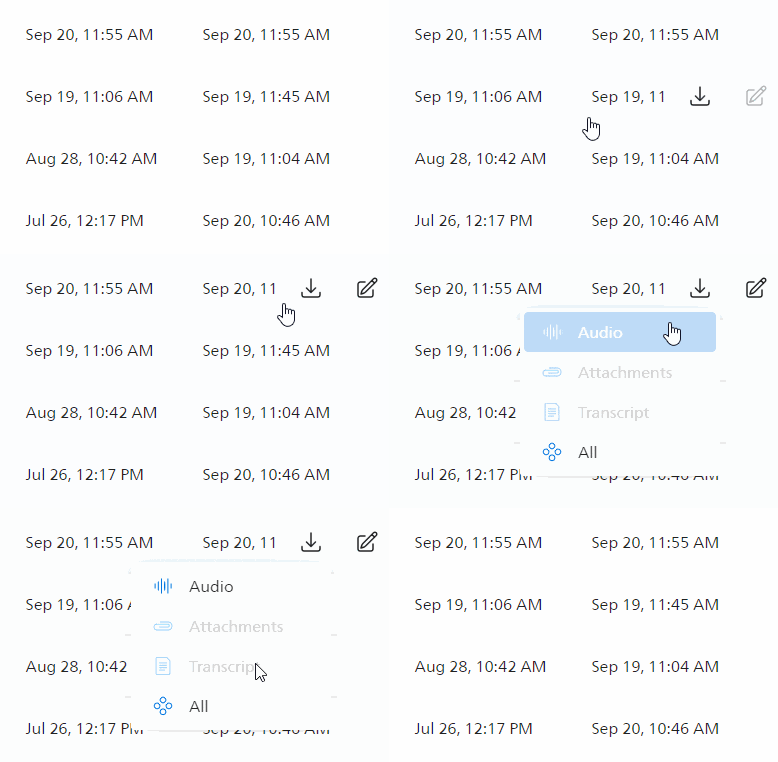
Quick actions
Users are able to use some quick actions in the dictation list by just hovering over a dictation, e.g. downloading attachments. This saves the user a lot of time, they can just quickly access their transcript.
Improved search functions
Users are now able to search directly in the dictation list of SpeechLive. Here, users can search for:
the title of the dictation
the file name of the dictation
the name of the attachment
the barcode users can add to the dictation properties
the comment field of the dictation properties
the content of the custom fields of the dictation properties
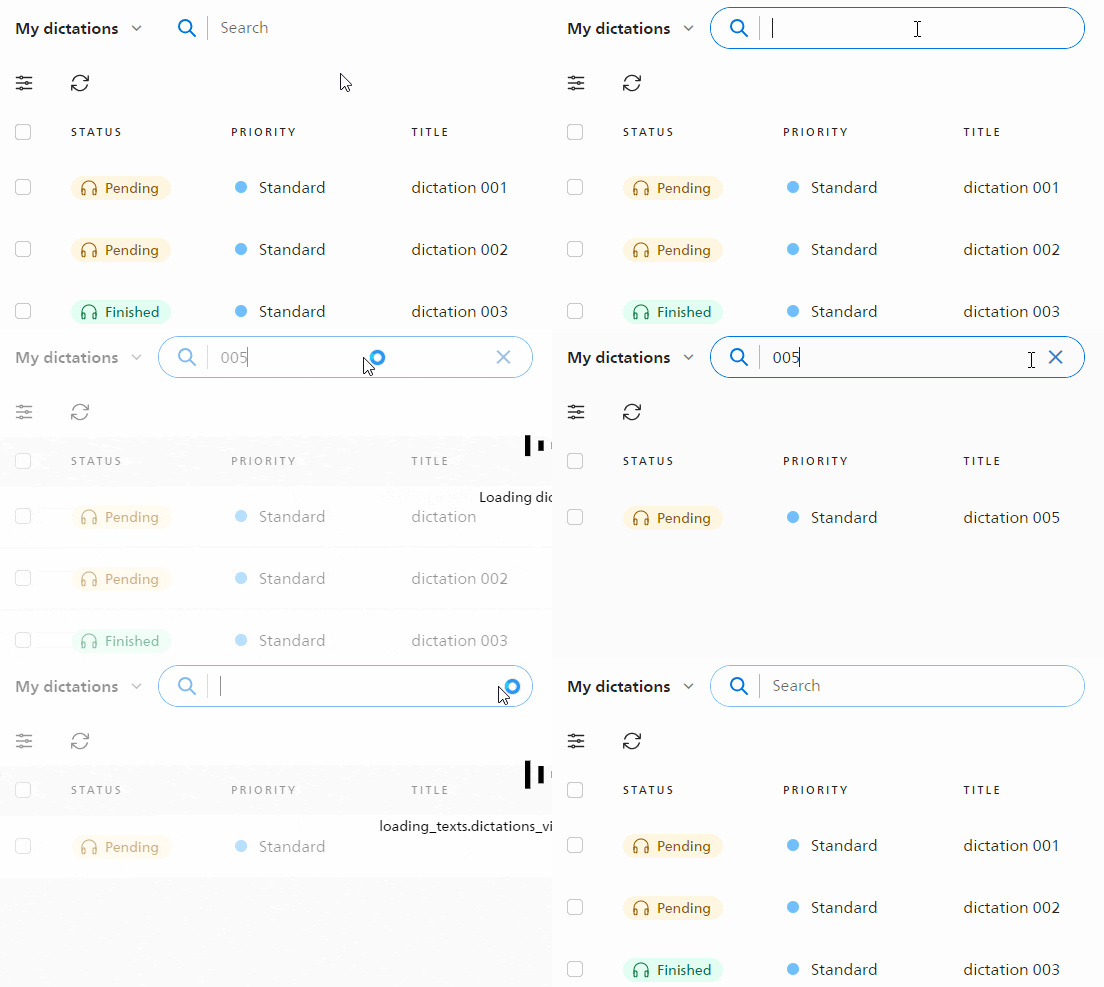 |
Search for dictation attachments
Users can now use the search function to search specifically for the attachments of a dictation.
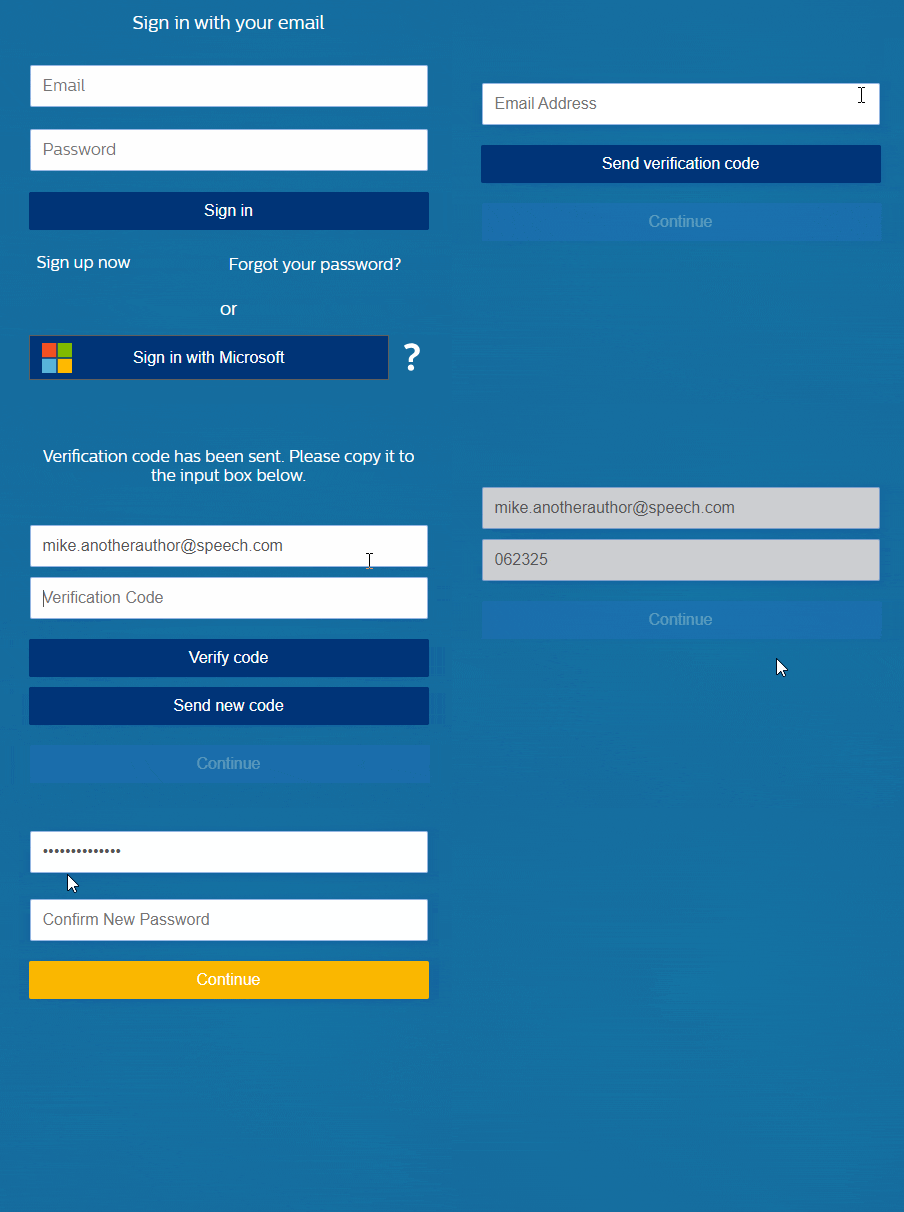
Reset user password
Users are now able to reset their password without the need to contact their SpeechLive administrator.
 |
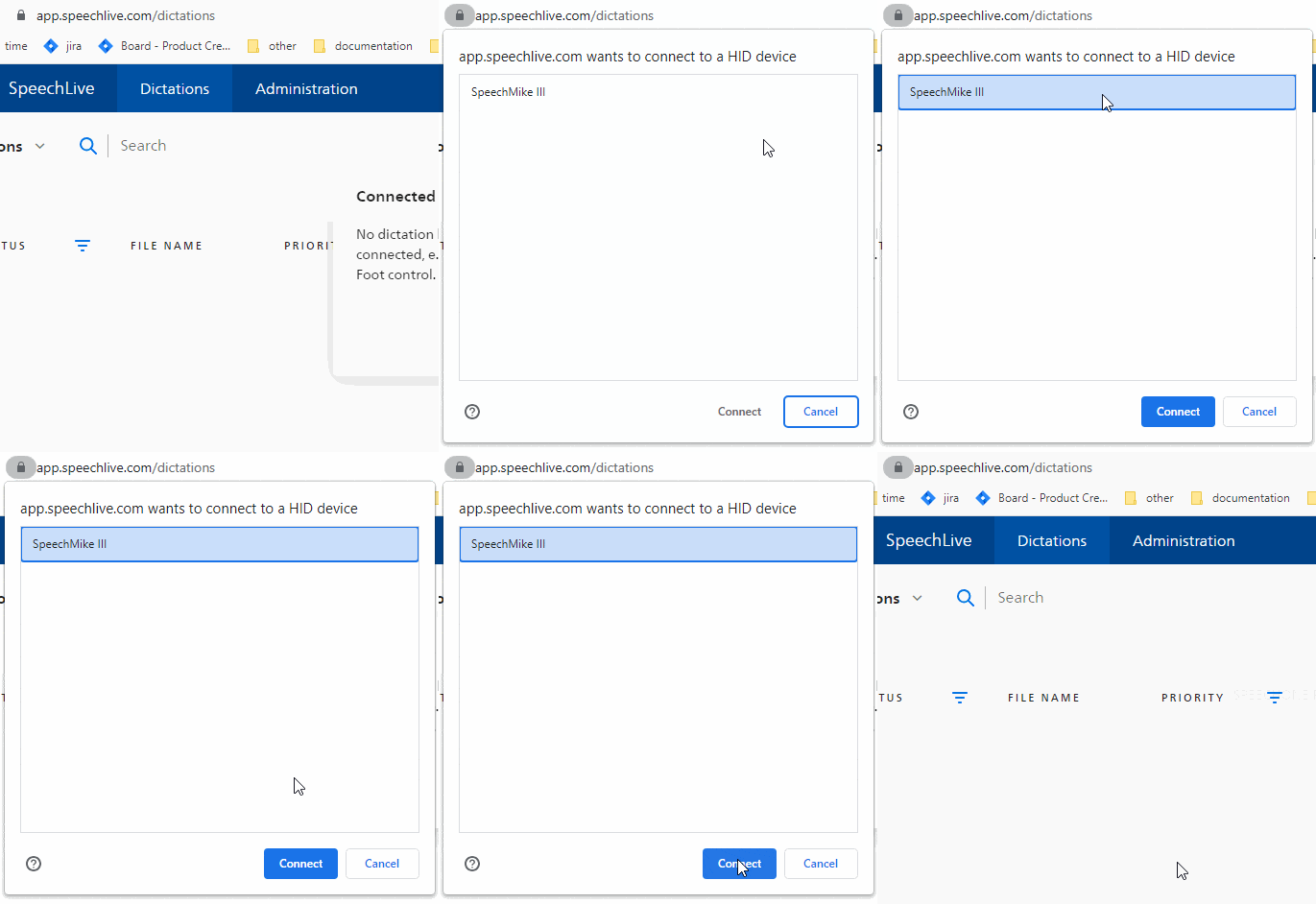
Hardware support via Google SDK
Users can now add their SpeechMike or Foot control via Google SDK. All they need to do is click a button and choose the device in the list. Philips Device Connector (PDC) is also still supported.
 |
Extended 3rd party API functions
We added more functions to the SpeechLive API. Its now possible to create multiple tokens, which can impersonate specific users ore user roles.
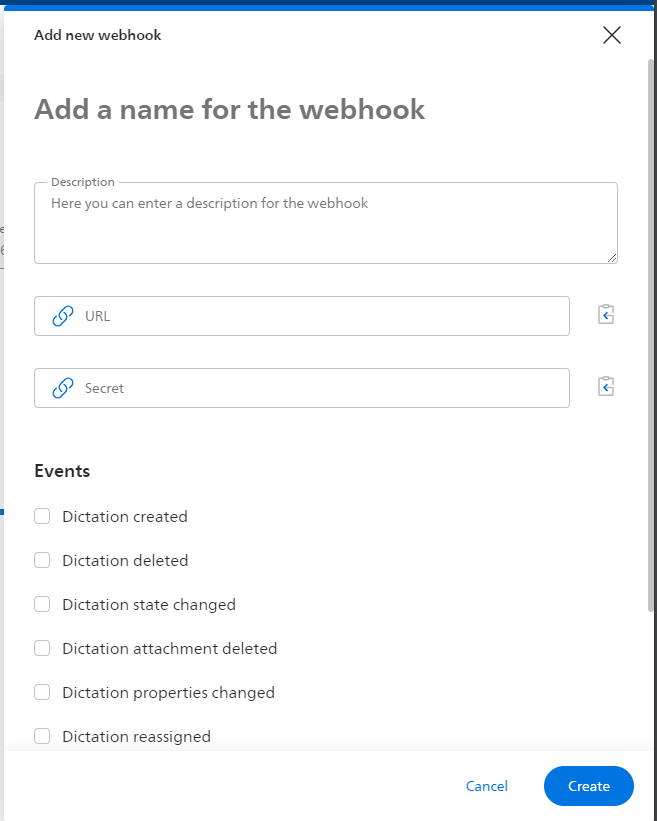
Webhooks
Webhooks enable other applications to be notified when certain events occur in SpeechLive. This could be e.g. when a new dictation is created, deleted, the state is changed and many more.
 |
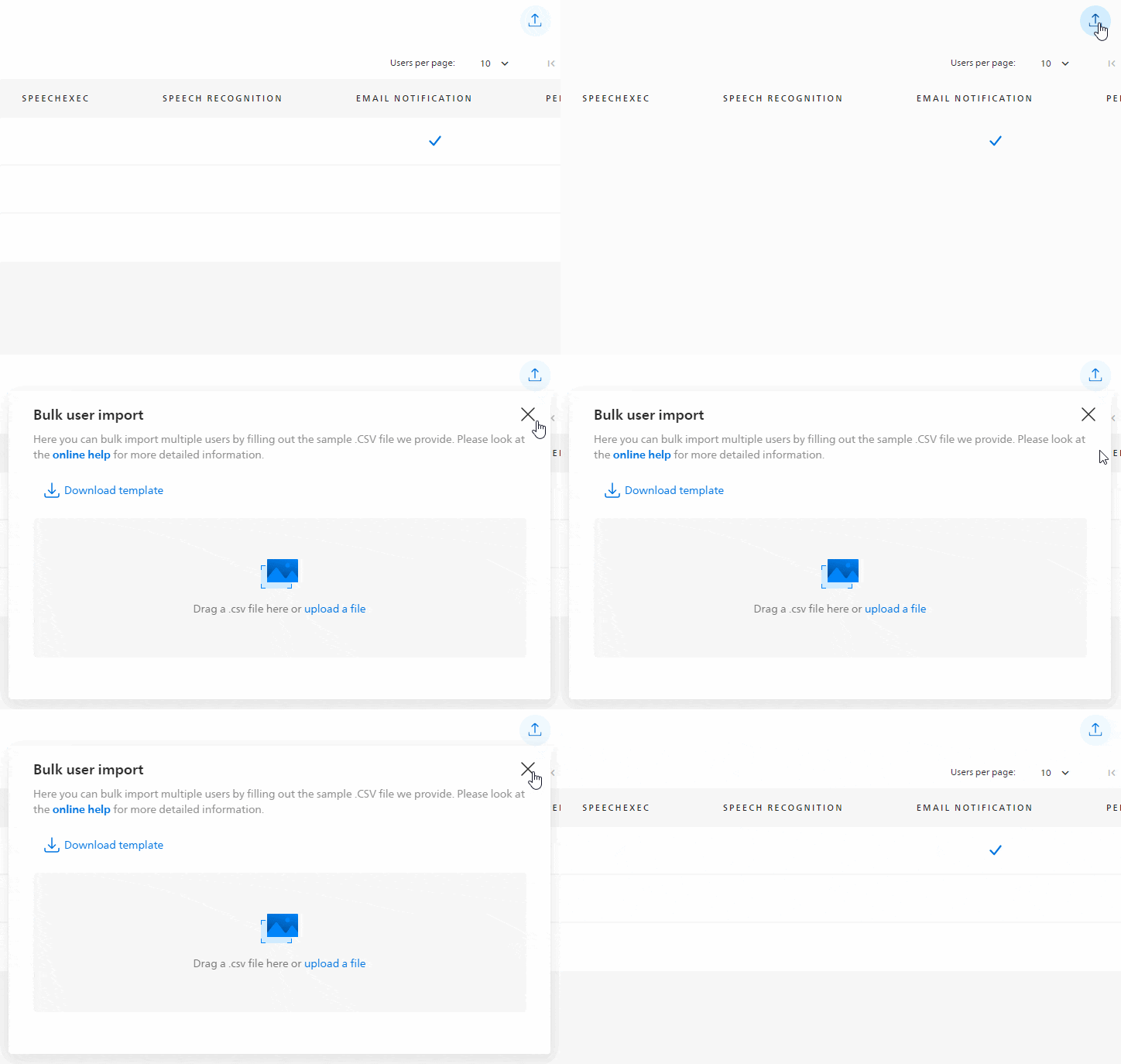
Bulk user import
Administrators and office managers are able to bulk import multiple users, saving them a lot of time when setting up new workflow users.
 |
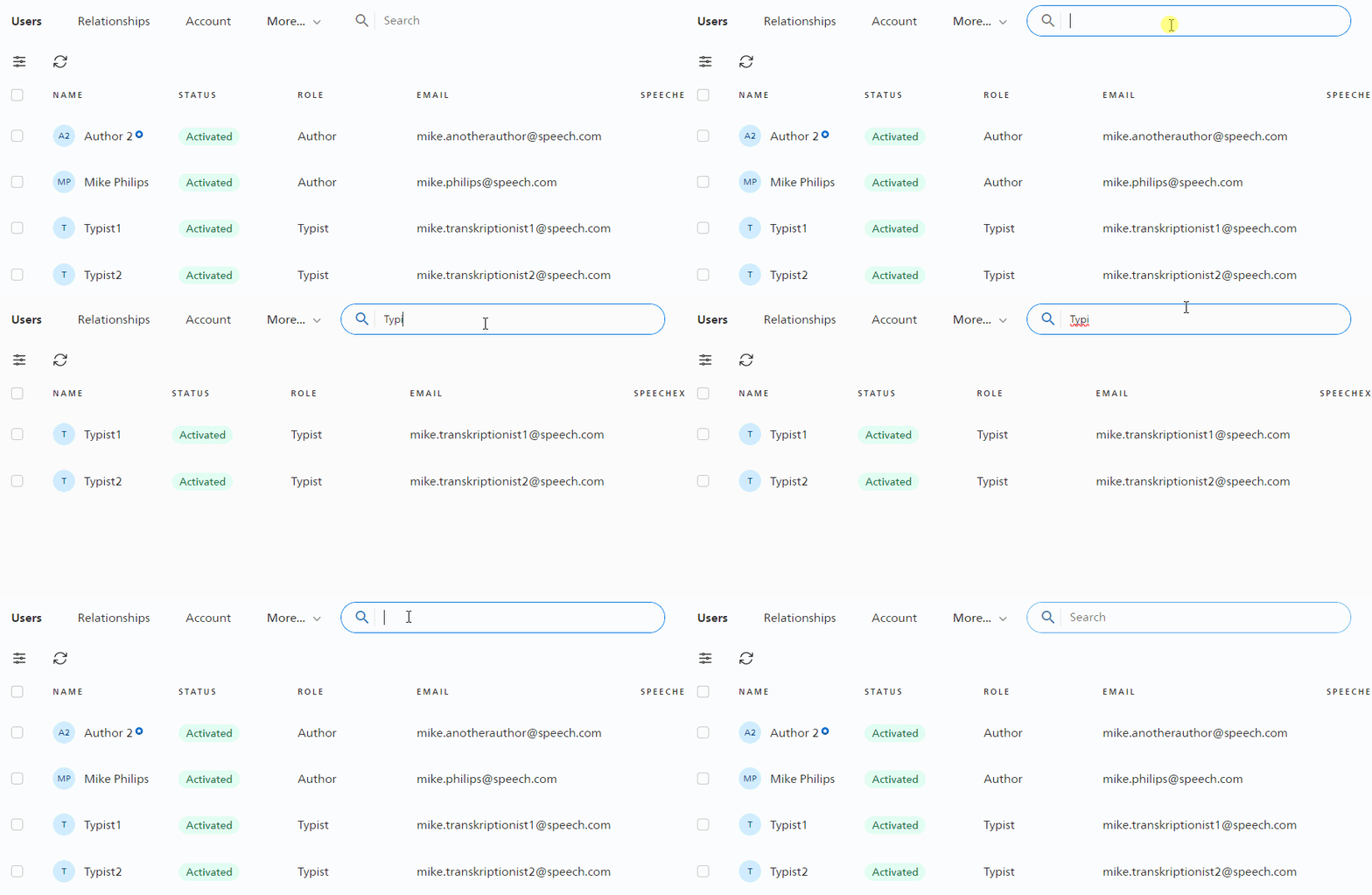
Search the user list
Administrators and office managers are now able to search the list of all the users in their SpeechLive account. This helps larger accounts to quickly find and edit specific users.
 |
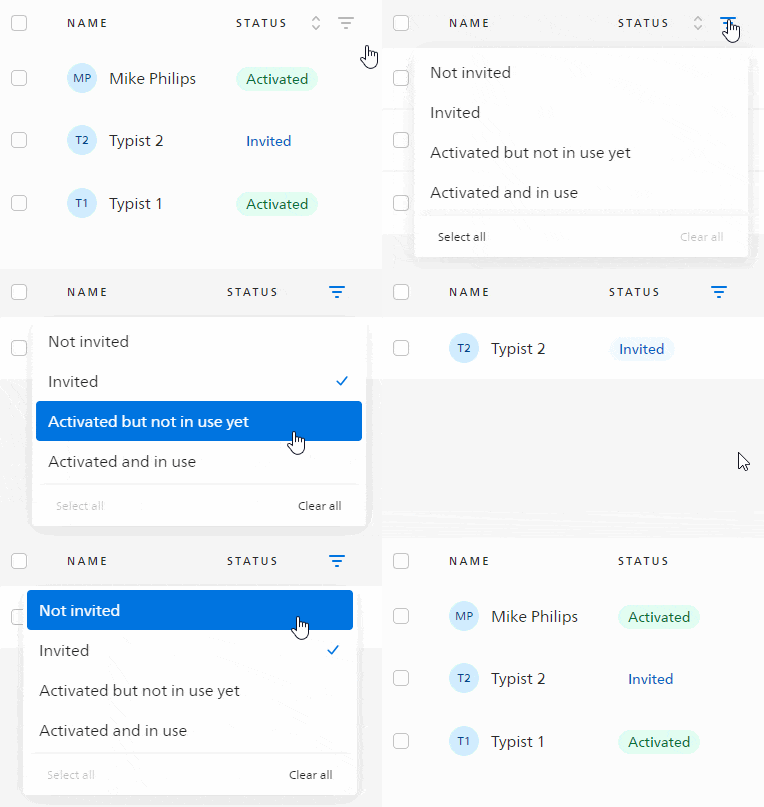
Sort and filter the user list
Its now possible to sort the user list or use filters to show e.g. only typist, or invited users.
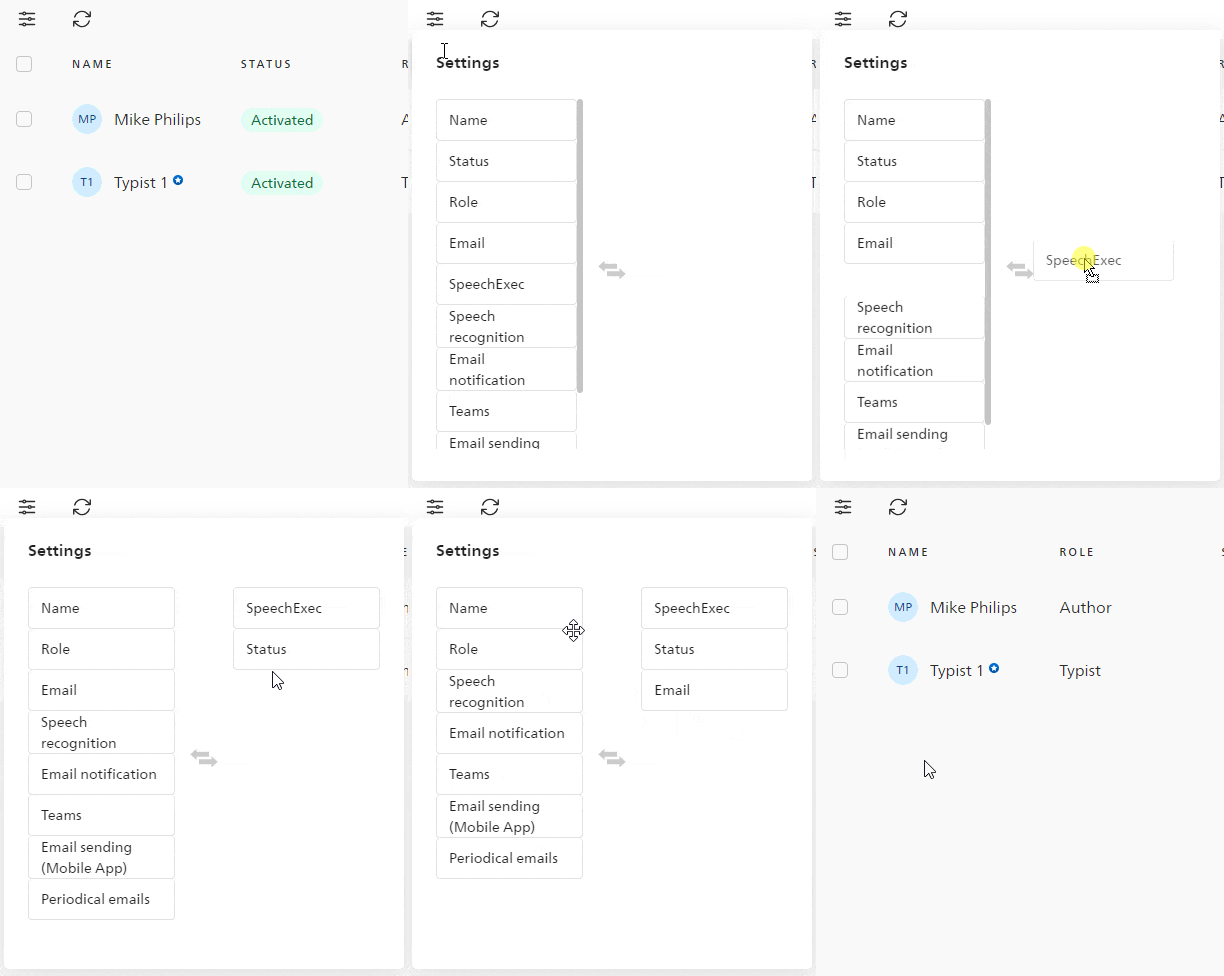
Customize columns in the user list
Administrators and office managers are able to customize the order as well as the displayed columns in the user list, enabling them to display the most important information right where they need it.
 |
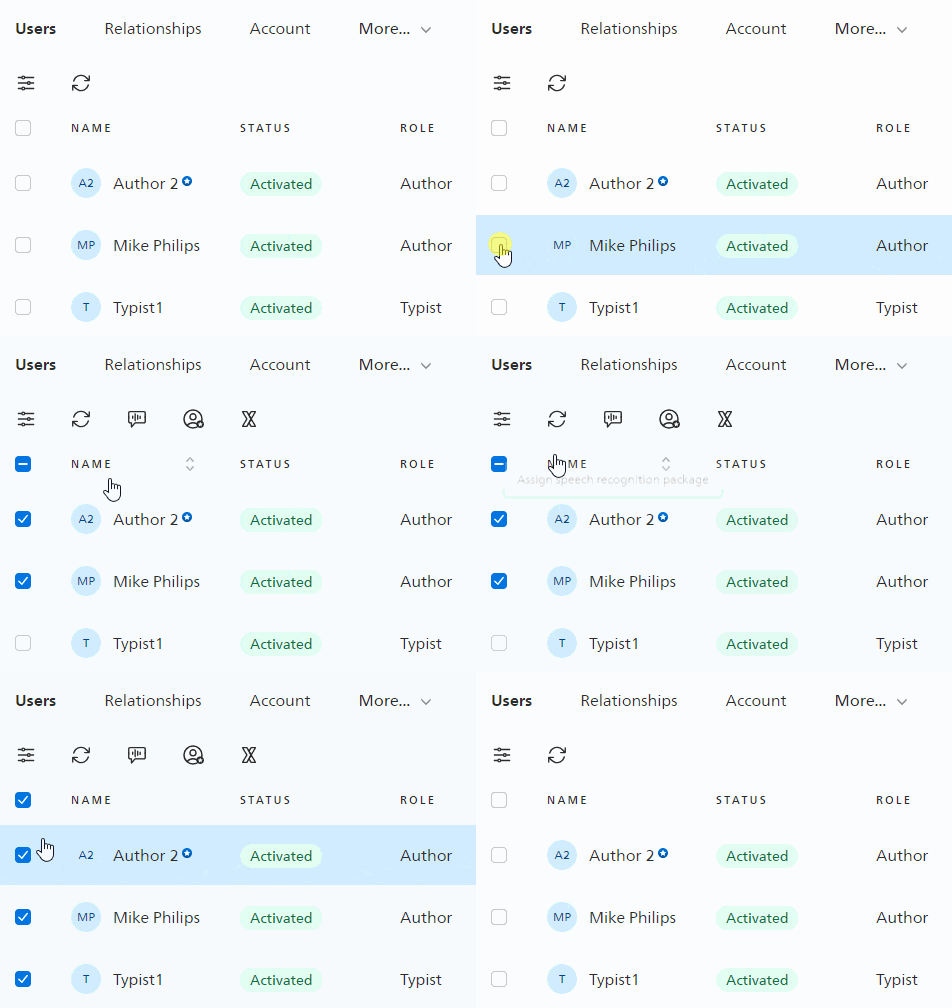
Bulk actions for user list
Administrators and office managers can use bulk action to edit users in their SpeechLive account, e.g. assigning speech recognition packages.
 |
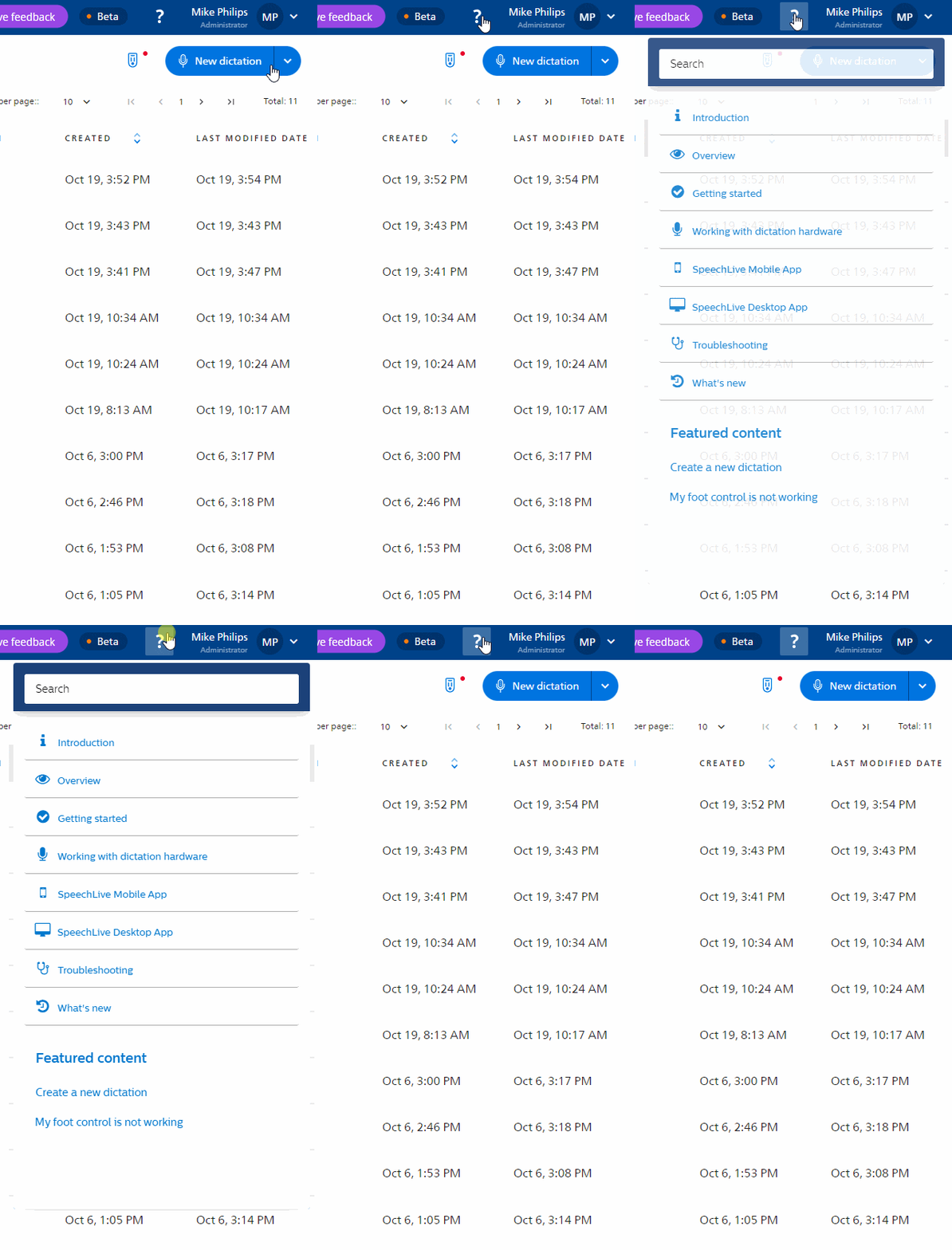
Embedded online help
The online help is now displayed next to the application, to show information to the user right where they need it. We also improved the search function and added a search bar right at the top of the help.
 |
2023, September 6
Mobile App 1.17.0 (iOS) / 1.15.0 (Android)
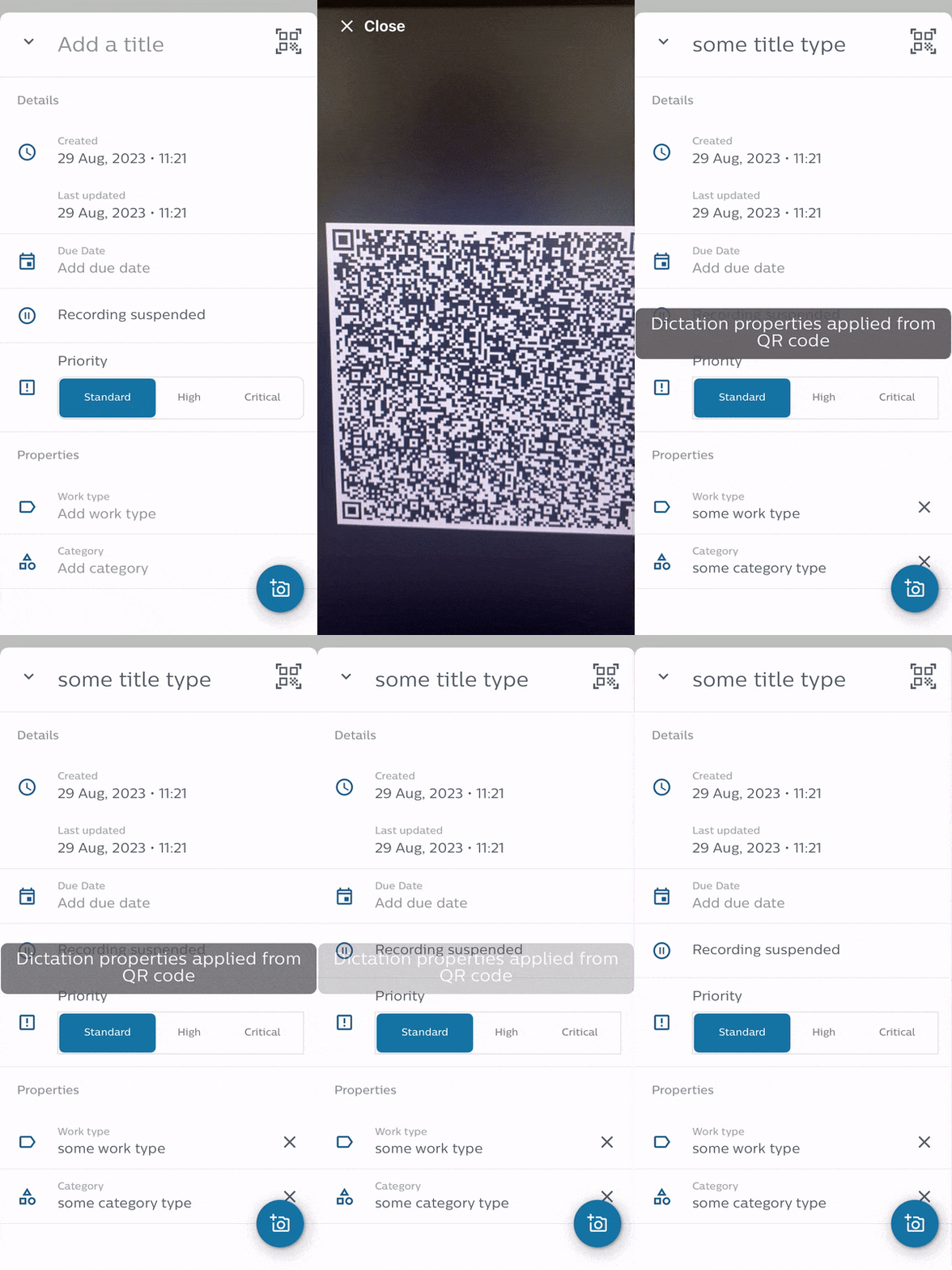
Dictation properties via QR code
Users can now scan a QR code to add properties to their dictation. This saves them a lot of time by eliminating the need to manually add dictation properties. Organizations can also use this feature to ensure that the same information is entered by all users, ensuring consistent use of dictation properties across the whole organization.
 |
Bugfix: We fixed an issue where the last selected recording mode was not saved.
2023, August 30
Desktop App 3.4.3 (Windows)
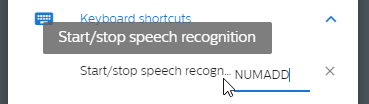
Personalized speech recognition key
The app allowed users to start/stop speech recognition by pressing the + key on the numeric keypad section of their keyboard. With this new release, we have added the ability to customize this key. This gives users more freedom to choose which key to use to start/stop speech recognition.
 |
Display remaining free speech recognition minutes
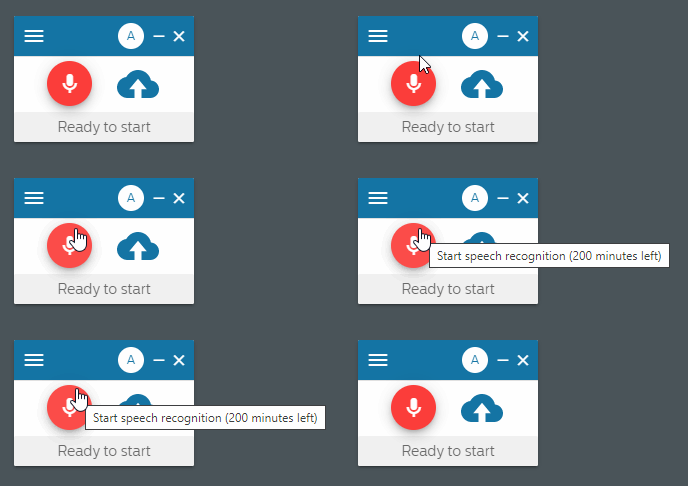
We recently changed the way users receive free speech recognition minutes to try out SpeechLive's speech recognition features. The remaining minutes were already displayed in the Web App, now users also see their remining free speech recognition minutes in the Desktop App.
 |
2023, August 17
Mobile App 1.16.0 (iOS) / 1.14.0 (Android)
Mandatory dictation properties
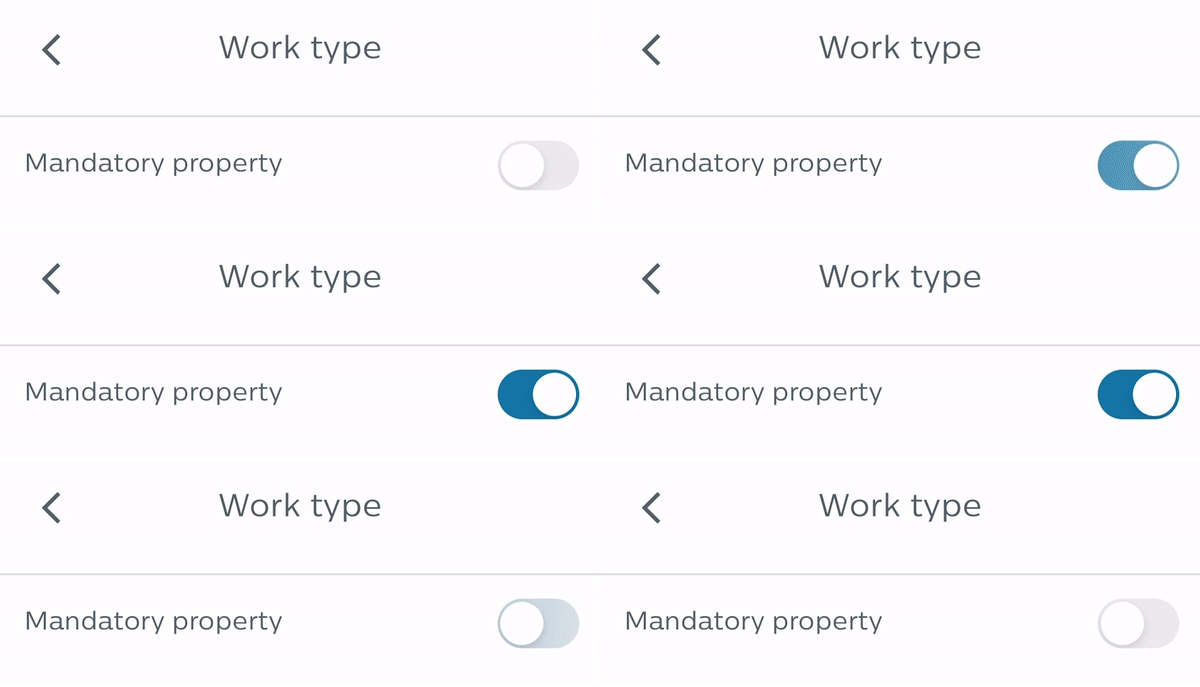
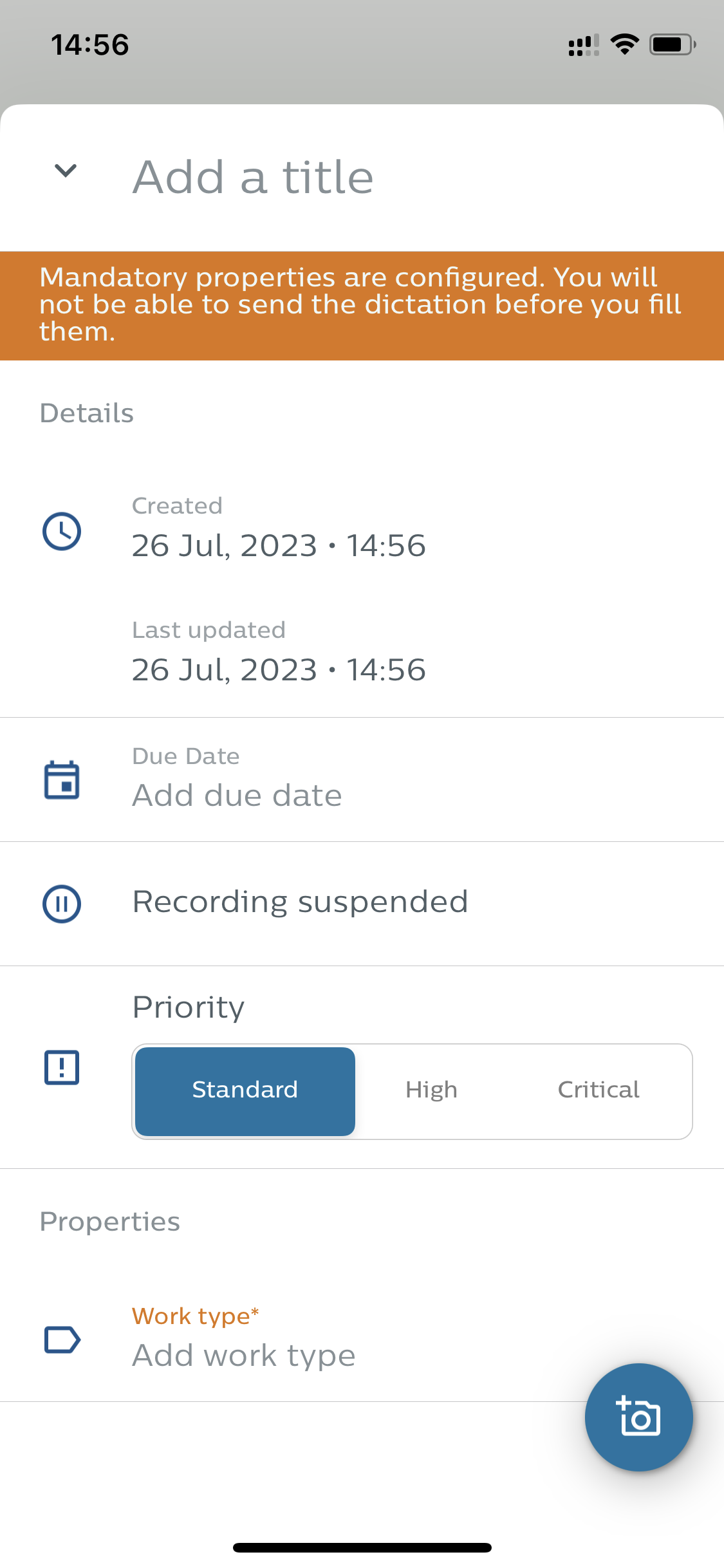
Users can define mandatory dictation properties in the application settings. This means that the dictation cannot be completed until certain dictation properties, such as work type, category, department, etc., have been added. This helps the user not to forget to add extra information to a dictation and also ensures that mandatory information within an organization is provided by all users.
 |
 |
Philips Remote Device Manager (PRDM) support
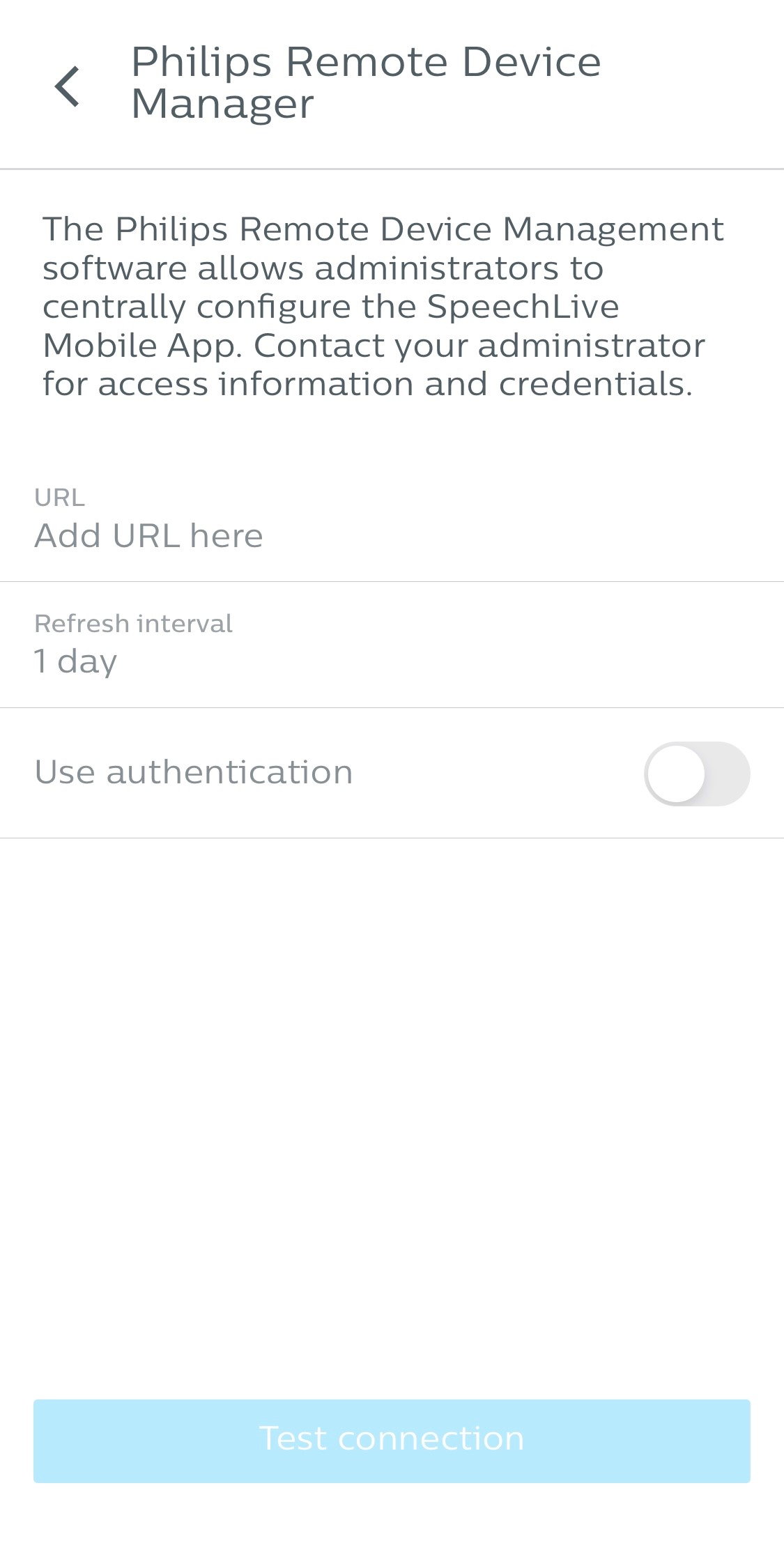
We added support for Philips Remote Device Manager Software (PRDM) to the app, allowing IT administrators to centrally configure the Mobile App when using it with SpeechExec Enterprise.
IT admins were already able to configure various settings via Unified Endpoint Management (UEM) Tools. We now enabled the same set of configuration options via the Philips Remote Device Manager software.
 |
2023, July 26
Web App
Personal free speech recognition minutes
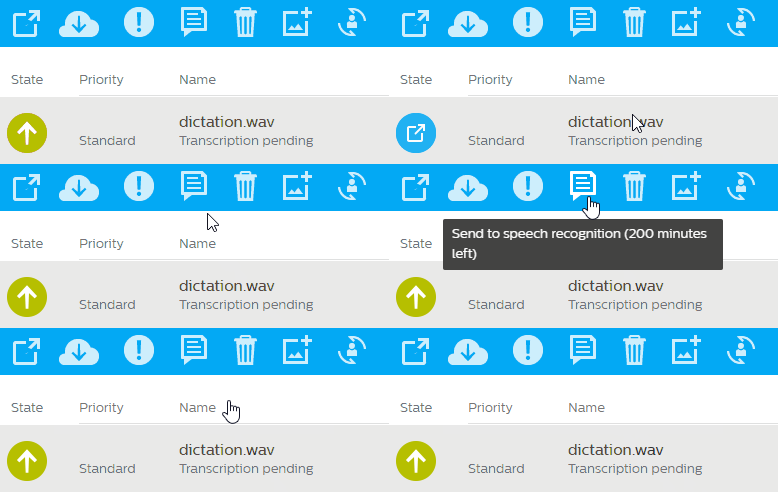
SpeechLive offers free speech recognition minutes to every workflow user to try out the feature. In the past, all users shared a pool of free minutes. This sometimes resulted in an uneven distribution where one user could use up all the minutes. We have changed this behavior and now offer each user a one-time top-up of 200 minutes.
This allows users to test speech recognition more thoroughly. The free minutes can be used on all devices, from the SpeechLive Web App to the Mobile App and the Desktop App. The user's remaining free minutes are displayed in the Web App next to the speech recognition button, allowing them to always check how much they have left to test the feature.
 |
 |
2023, July 17
Desktop App 3.3.1 (Windows)
Customizable default settings
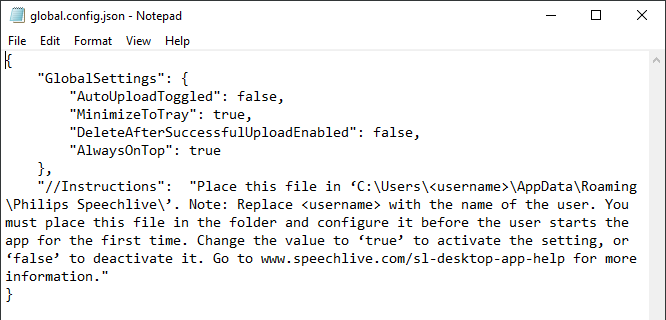
IT administrators can now pre-configure the app. We introduced a new configuration file, that can be placed in the installation folder of the application. This configuration file allows IT administrators to pre-configure some of the most important settings, such as auto-upload, minimize to tray, and others.
Adding this option ensures that all users receive the correct configuration for the app right from the start with minimal administrative overhead. Users will still be able to change the settings to their own preferences if necessary, allowing for some user control if the work environment changes and adjustments are needed later.
 |
2023, June 6
Mobile App 1.15.0 (iOS) / 1.13.0 (Android)
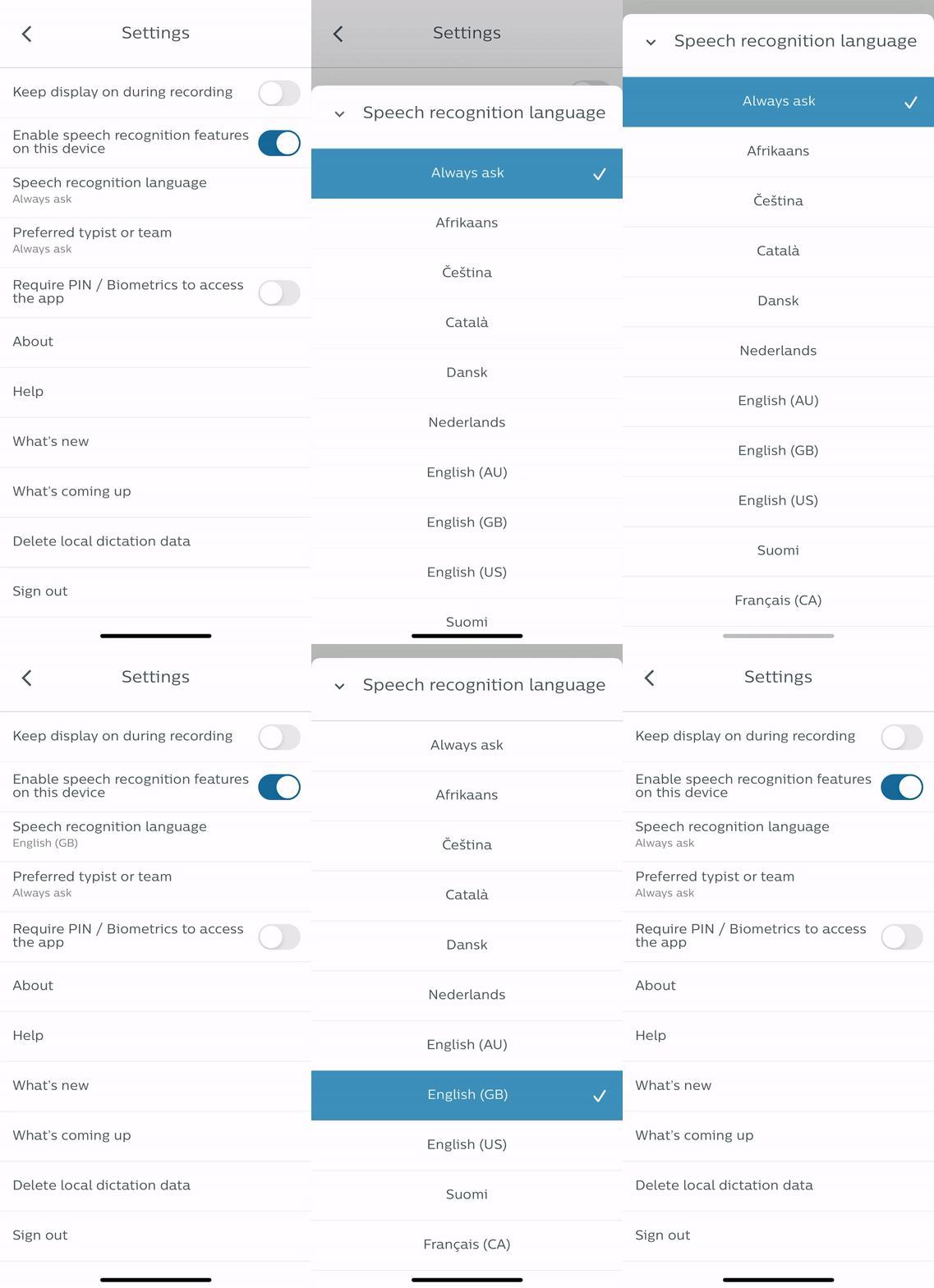
Default speech recognition language
Users can now set a default language for speech recognition, saving them extra steps when sending dictations to speech recognition.
 |
Bugfix: There were problems with the time display for some users in certain recording modes.
Bugfix: For some users the setting for the default work type disappeared when logging out and logging in again.
2023, May 23
Desktop App 3.2.23 (Windows)
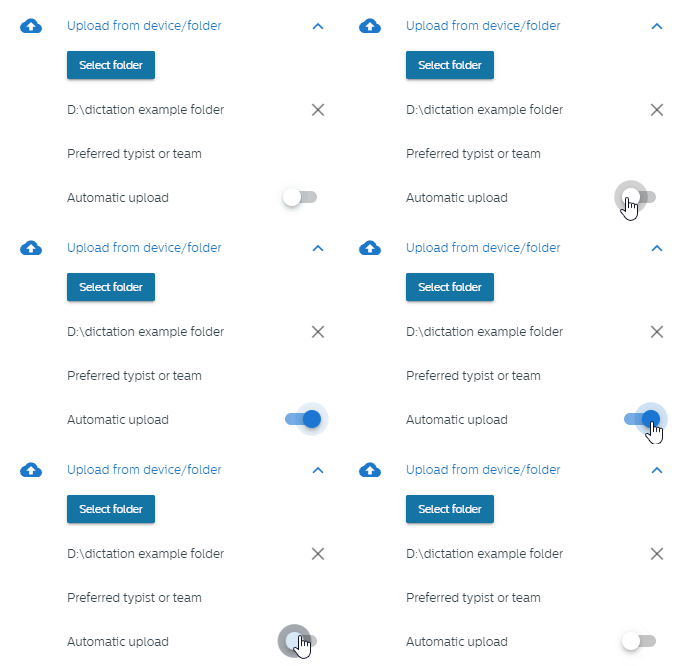
Automatic upload from folder (Author)
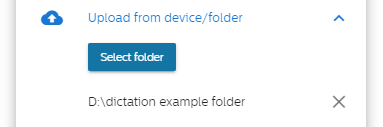
Authors are now able to select a folder or path for automatic upload. The app periodically checks this folder and uploads new dictations automatically to SpeechLive. This feature enhances the automatic upload functionality and offers more flexibility for the users to automatically upload dictations from different sources.
 |
 |
Flexible dictation assignment (Author)
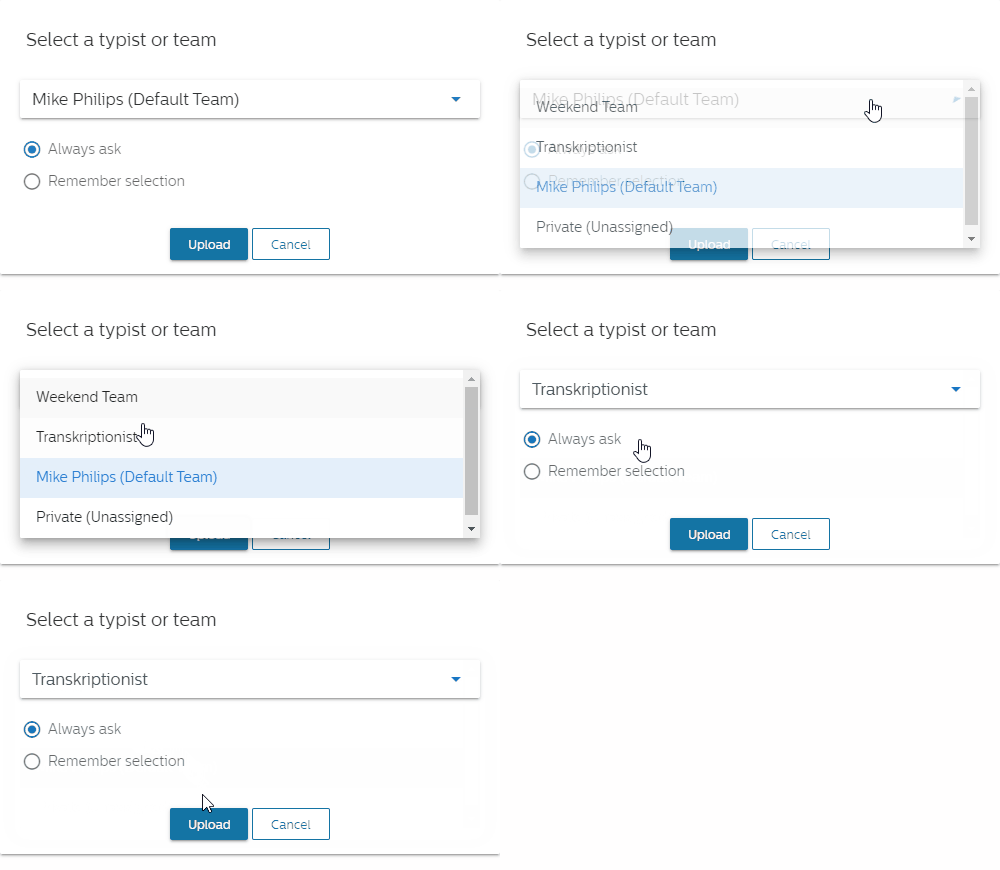
When uploading dictations, it’s now possible for authors to assign dictations directly to a transcriptionist or team. This improves the workflow for authors and offers them more flexibility when uploading different dictations, choosing the transcriptionist or team that is currently available or the best fit for the content of the dictation.
 |
2023, April 19
Web App
Add new workflow users for Azure Single Sign-On
When adding new workflow users, its now possible to invite users directly when they use Microsoft Azure Single Sign-On. This reduces the extra work for the users, they no longer need to set a password for the workflow user when they are using Single Sign-On.
 |
2023, April 3
Mobile App 1.14.3 (iOS) / 1.12.4 (Android)
We updated the SpeechExec Enterprise Application Proxy support to work with the latest version of the proxy.
Bugfix: The real-time speech recognition transcript was sometimes empty.
2023, March 23
Mobile App 1.14.2 (iOS) / 1.12.3 (Android)
Bugfix: Sometimes the dictation state was not updated in the app (iOS, Android).
Bugfix: We fixed a bug in the UI when showing the numbers of dictations (iOS).
2023, February 28
Desktop App 3.1.9 (Windows)
We fixed a bug that caused the app to restart.
2023, February 24
Mobile App 1.14.1 (iOS) / 1.12.1 (Android)
Minor stability and performance improvements.
2023, February 24
Philips Voice Recorder App 4.6.37 (iOS) / 3.5.25 (Android)
We removed the support for Dictation Hub. Please use the other sending options of the app instead to share your dictations.
2023, January 30
Mobile App 1.14.0 (iOS) / 1.12.0 (Android)
Resend Dictations (SpeechExec Enterprise)
Dictations sent from the Mobile App to SpeechExec Enterprise were sometimes accidentally deleted by transcriptionists. The app now detects dictations already sent to SpeechExec Enterprise but no longer exist in SpeechExec Enterprise. Those dictations are moved back to the draft state and the author is now able to resend the dictation again.
Pre-Configure dictation properties via UEM/ MDM
We enhanced the Unified Endpoint Management (UEM) / Mobile device management (MDM) support for the Mobile App. IT administrator can now preconfigure all dictation properties (e.g. work type, category, department, keyword etc.). By already defining those properties it’s easier for organizations to use the same dictation properties across different users.
Default dictation properties
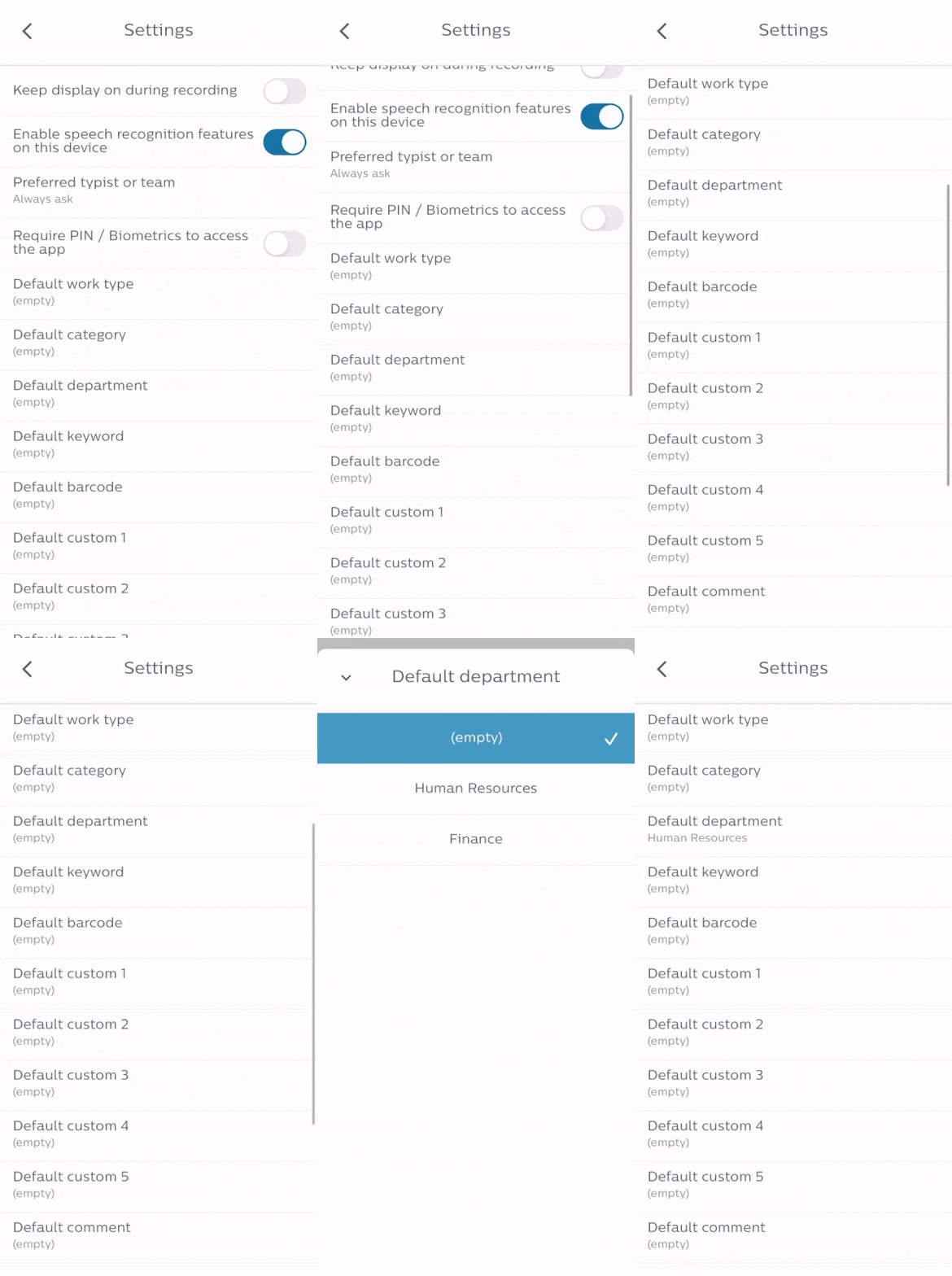
Users are now able to set a default value for all dictation properties (e.g. Work type, Category, Department, Keyword etc.) in the settings of the app. To enable the option, the values must first be set at least once in the dictation properties. With this option its quick and easy to set default values for various dictation properties, saving extra work for the users when creating new dictations.
 |
Apple watch support (iOS)
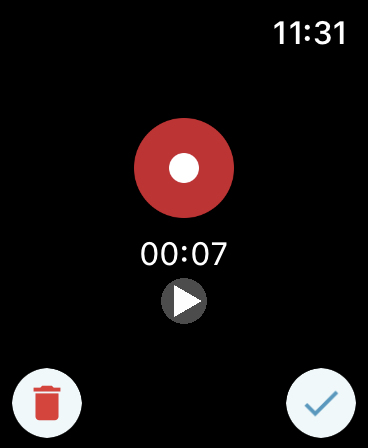
Apple users are now able to record dictations with their Apple watch. This allows users to record and play back from their wrist without the need to take out their smartphone.
 |
Bugfix: The dictation properties were shown blank for some users (Android).
2023, January 16
Mobile App 1.13.1 (iOS)
Bugfix: The app crashed for some users when they started or stopped a recording.
2023, January 9
Mobile App 1.13.0 (iOS) / 1.11.0 (Android)
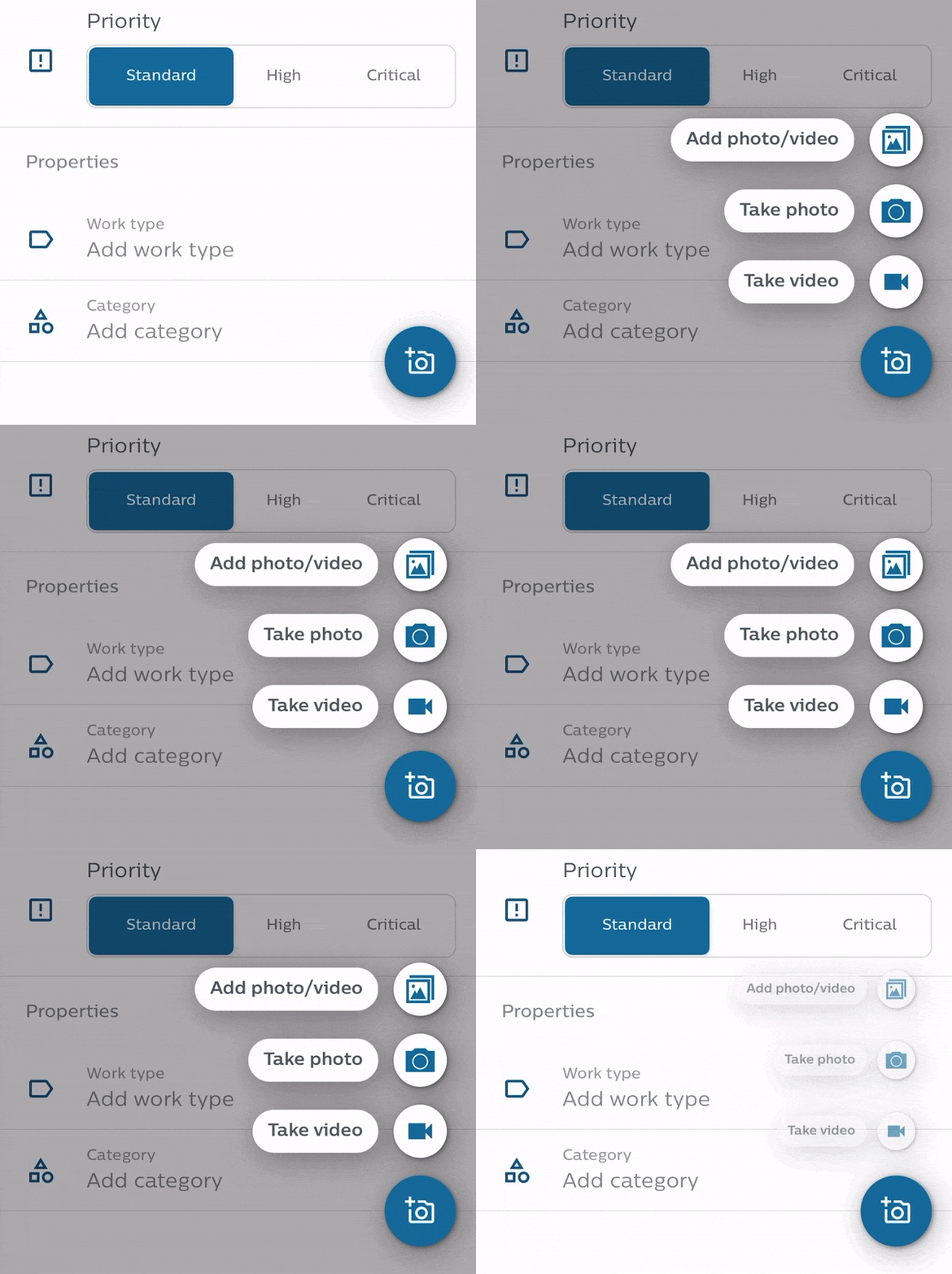
Video attachments
You can now attach videos to your dictations. This greatly enhances the documentation options of your dictations, adding additional information.
 |
Bugfix: A visualization error in the dictation list has been fixed (iOS)
2023, January 2
Web App
SpeechLive Enterprise plan
We added an additional SpeechLive plan: SpeechLive Enterprise. The new plan includes features and functions catered to the needs of larger organizations. You can learn more about the different SpeechLive plans here.
Microsoft Azure Active Directory Provisioning
Administrators are now able to add users (authors and typists) to the SpeechLive workflow by just adding them in Microsoft Azure Active Directory, streamlining the process of creating and managing SpeechLive users in just one place.
Note
This function is only available for SpeechLive Enterprise.
Control email sending for the Mobile App
Account administrators can now activate/deactivate the email sending option for authors in the mobile app. This increases account security, privacy and enables organizations to have more control when it comes to sensitive dictations.
Note
This function is only available for SpeechLive Enterprise.