How to delete a user
You can delete a workflow user in SpeechLive if you e.g. no longer need a specific typist or author. To delete a typist or an author:
Navigate to the Workflow tab.
Note
The Workflow tab is only available for account administrators and office managers.
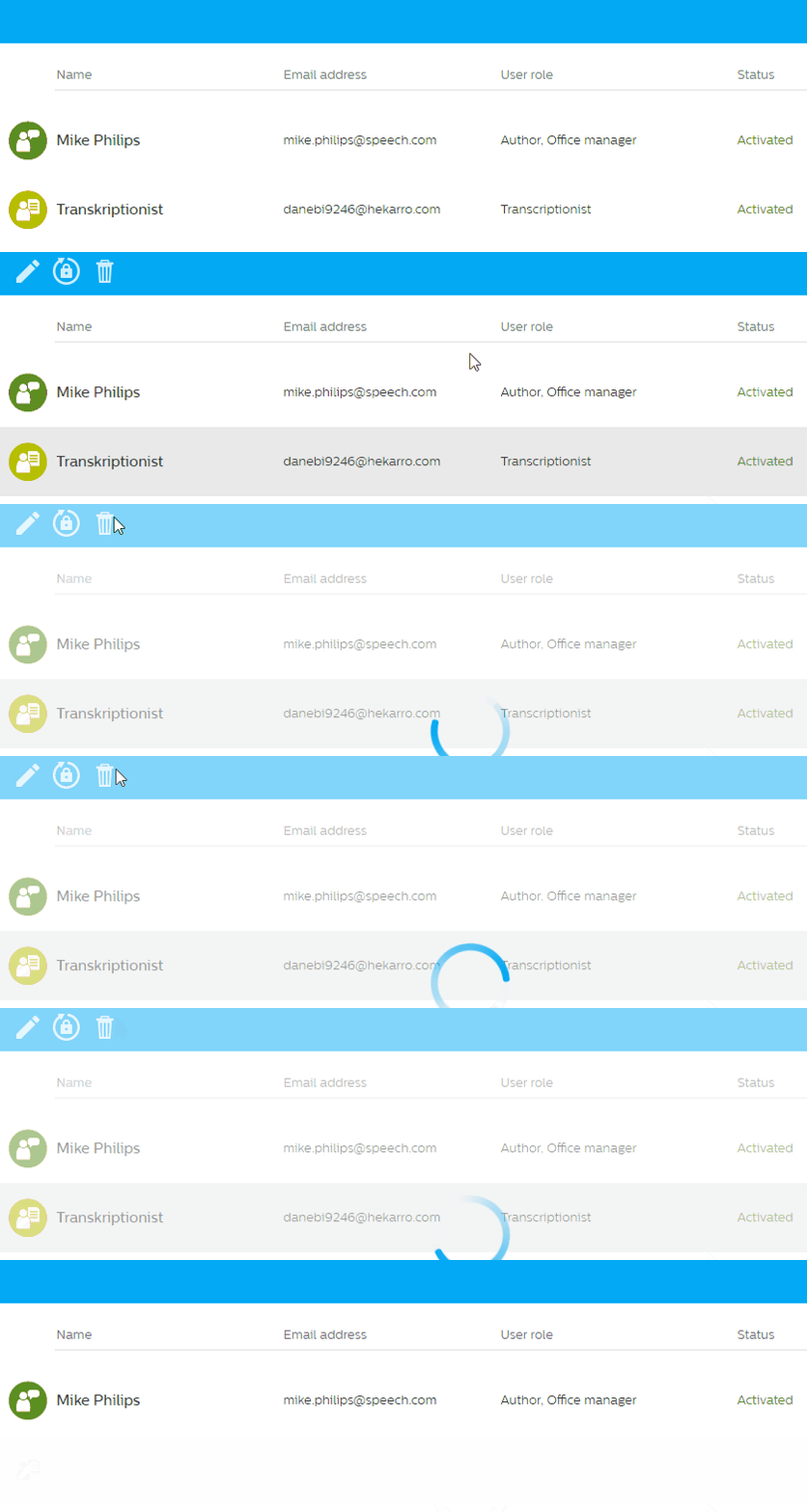
Select the user in the list and click on Delete user
 in the toolbar.
 |
Depending on your configuration, you may need to take some further steps:
Automatically reassign dictations to a different user
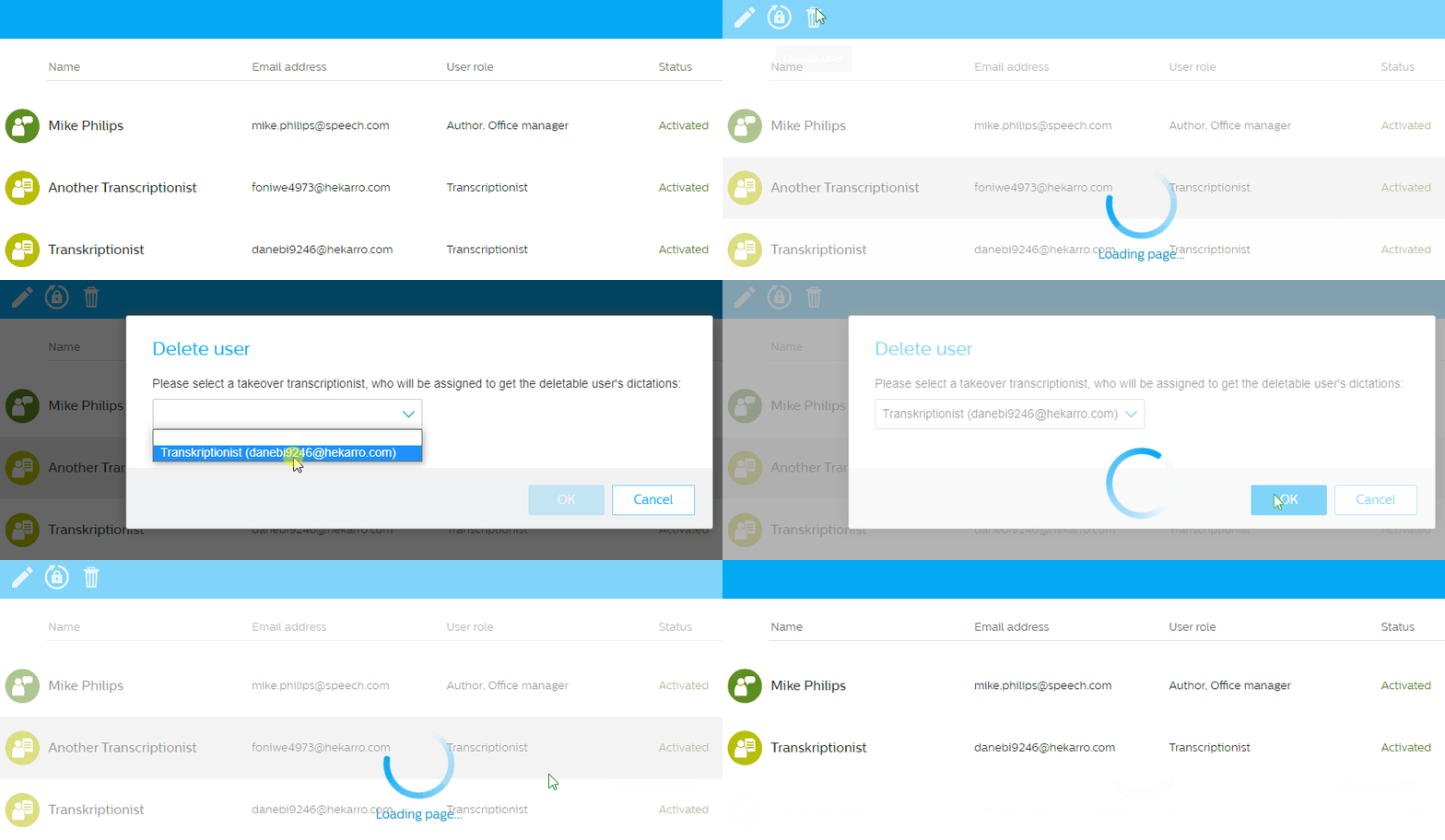
If you have more than one typist in your account, you can automatically reassign dictations to a different typist (the same is true for authors):
Choose the user who should receive the dictations in the dialog window.
Click OK to finish the deletion process.
Note
When you delete the last transcriptionist user of your account, you can choose an author to take over dictations still assigned to the transcriptionist.