Foot control
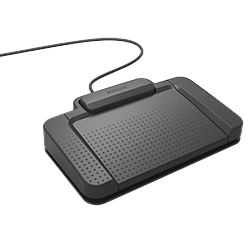
Transcriptionists can use the foot control out of the box with SpeechLive by simply connecting it to the PC. Authors must install Philips Device Connector (PDC) first.
Note
We recommend to open SpeechLive in an extra browser window. This ensures that you can always control the web player with the foot control, even when the window is not active / in focus. If this is not an option or you run into any issues, you can also install the Philips Device Connector (PDC) as outlined below.
Do not maximize your browser window on Mac systems, to ensure the best foot control support.
Authors must first install the Philips Device Connector with all its components to use the foot control.
Connect the foot control directly to a free USB port and not via the docking station of the SpeechMike Premium Air / SpeechOne.
To further enhance the foot control support (e.g. prevent issues with active browser windows) Transcriptionists can also install Philips Device Connector (PDC). Authors should always install Philips Device Connector before using the foot control.
X Continue to the full installation guide of the Philips Device Connector.
Note
Google Chrome Browser (Windows, macOS) or Microsoft Edge (Windows) is required to use Philips Device Connector.