Edit user
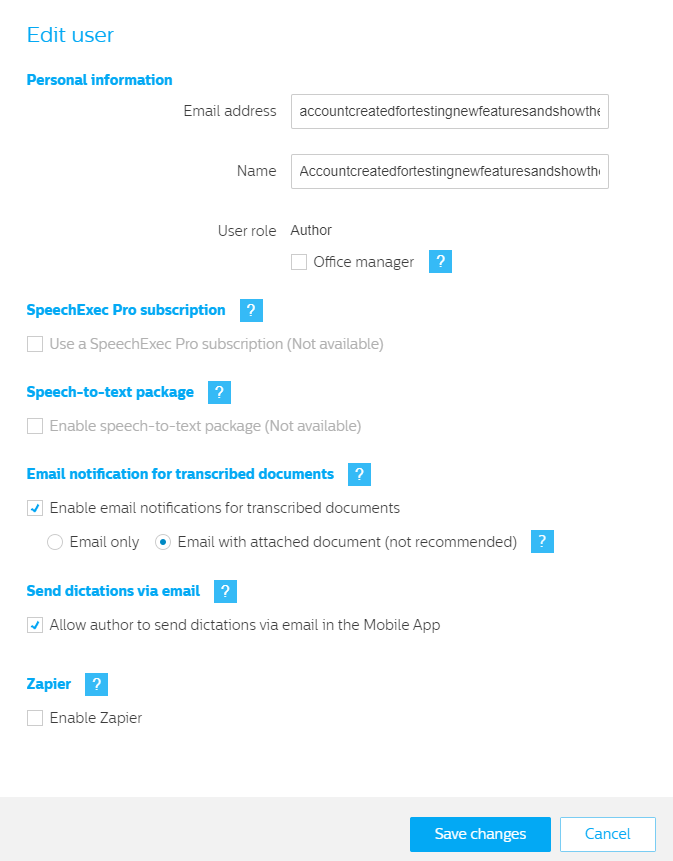
To edit a workflow user select the user from the Users list and click on the Edit user icon in the toolbar.

The Edit user dialog pops up.
In this dialog you can change the following settings:
Note
Information about the settings can be found in the chapter Add user.
For security reasons the user will receive another invitation email when changing the email address.
For security reasons the activation link in the invitation email is valid for 24 hours only. After that a new invitation has to be sent to the user.