
SpeechLive Help

Workflow administration

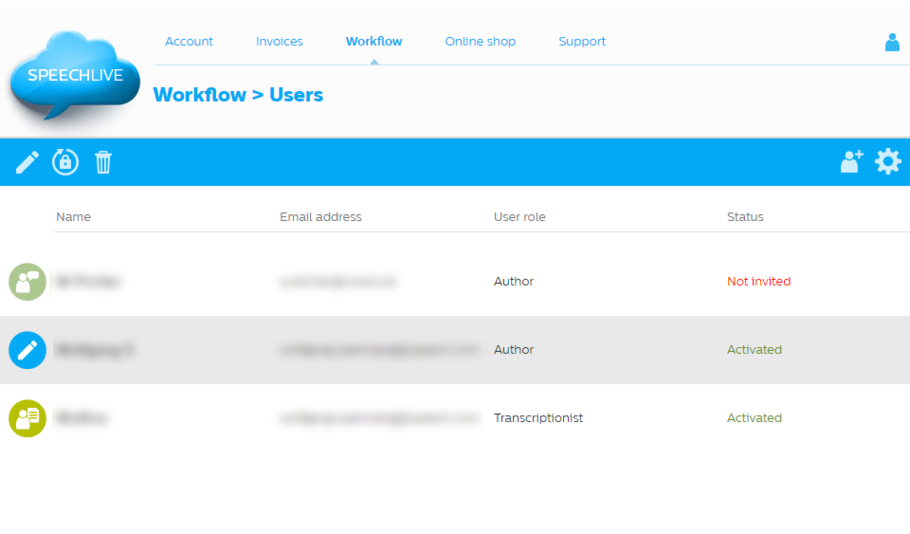
The landing page for workflow administrators is the Users dialog.

From this screen you can access all other SpeechLive workflow configuration options.
csm_workflow_screen_75b0ad01a3.png

Note

Only SpeechLive administrators or office managers can access the workflow tab.

The toolbar of the Users dialog contains the following options:

Icon

Description

csm_Add-user_icon_935d897f6c.png

Add user: Click this button to add workflow users to the system

csm_Cogwheel_icon_03ea8d6b63.png

Settings: Click this button to open the following setting options:

  • General Settings*: Logout time for workflow users in SpeechLive web access

  • Users: Add, edit, or remove users

  • Workflow relationships: Connect authors and transcriptionists

    Note

    This function is only available for SpeechLive Pro and Enterprise.

  • Activities*: Download a CSV file to track the activities in the workflow

  • Dictation history: Here you can download a .csv file containing information about the created and transcribed dictations of your account

  • Search dictations: Option to search and download lost dictations, e.g. if they were accidentally deleted by a user

  • Backup: Download a backup of all dictation files from your account that are currently in the system

  • Speech recognition*: Define the preferred languages in your SpeechLive account for speech recognition

  • Archive settings*: Define the visibility as well as the purge interval of archived dictations

  • Active Directory*: Here you can activate Microsoft Azure Active Directory Provisioning and get all the necessary access data.

    Note

    This function is only available for SpeechLive Enterprise.

  • API*: Here you can activate access to the SpeechLive API.

    Note

    This function is only available for SpeechLive Enterprise.

csm_Help_icon_ef3fbec54e.png

Help: Opens this online help

*...only available for Account administrators