Using a SpeechExec Pro subscription
The SpeechExec Pro subscription enables SpeechExec users to use SpeechExec as desktop client for SpeechLive. The SpeechExec Pro subscription can be purchased for dealer-activated customers in the SpeechLive account area.
Note
To utilize a SpeechExec Pro subscription you need to install the corresponding SpeechExec Pro 11 software and your SpeechLive administrator must enable the SpeechExec Pro subscription option in your user settings.
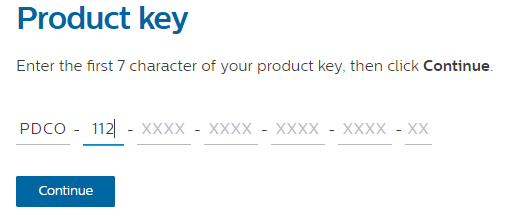
You can download SpeechExec 11 or later from speechexec.com/install For the Product key enter:
'PDCO-112' for SpeechExec Pro Dictate for authors
'PTCO-112' for SpeechExec Pro Transcribe for typists
Selecting the SpeechExec Pro subscription
To use the SpeechExec Pro subscription follow the steps below:
Select 'SpeechExec Pro subscription' in the SpeechExec welcome screen.
Note
If you are already using SpeechExec 11 with a license key you can switch to the SpeechExec Pro subscription by visiting Help menu > License information and clicking on Change license type. At the next startup SpeechExec will display the Welcome screen where you can change the license type.
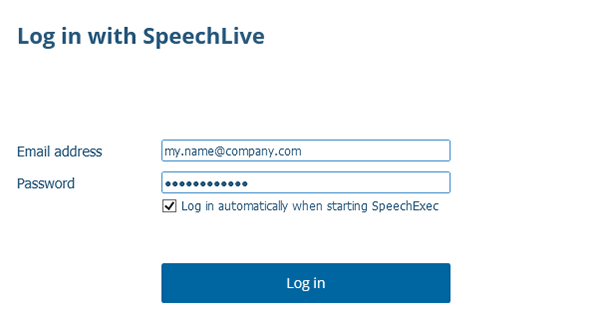
Log in with your SpeechLive credentials (email address and password).